Clear my inbox
Have a bot read your email, sort it, and draft replies in your voice, with nothing sent until you say so.
In this tutorial your Chief of Staff reads your inbox, tells you what needs a reply, and writes the drafts. You stay in charge of what gets sent.
Before you start
- Gmail connected as a connected app. That needs Flux Router or your own connected-apps key. See Flux Router and connected apps.
- An engine that can use connected apps, such as Claude Code, Codex or Fuigo with a model.
1. Connect Gmail
- Open Connected apps from the sidebar.
- Search for Gmail and choose Connect.
- Give the account a label, such as
work, and finish signing in on Google's own page in your browser. - Come back to Murage. The account appears under Your connections.
2. Keep your Chief on Ask
Check the approval chip under the message box says Ask. On Ask, the bot asks before anything that needs your permission, including sending an email. See Permissions and the stop line.
3. Ask for drafts
Message your Chief of Staff (Ember, unless you renamed it). Be specific about what you want and what you don't:
Go through my inbox from the last day. Tell me which emails need a reply
and which don't. Draft replies in my voice. Send nothing.
The bot reads your mail, sorts it, and saves the drafts as a file in its output folder. It tells you where the file is and what it couldn't fill in honestly, such as a price it doesn't know.
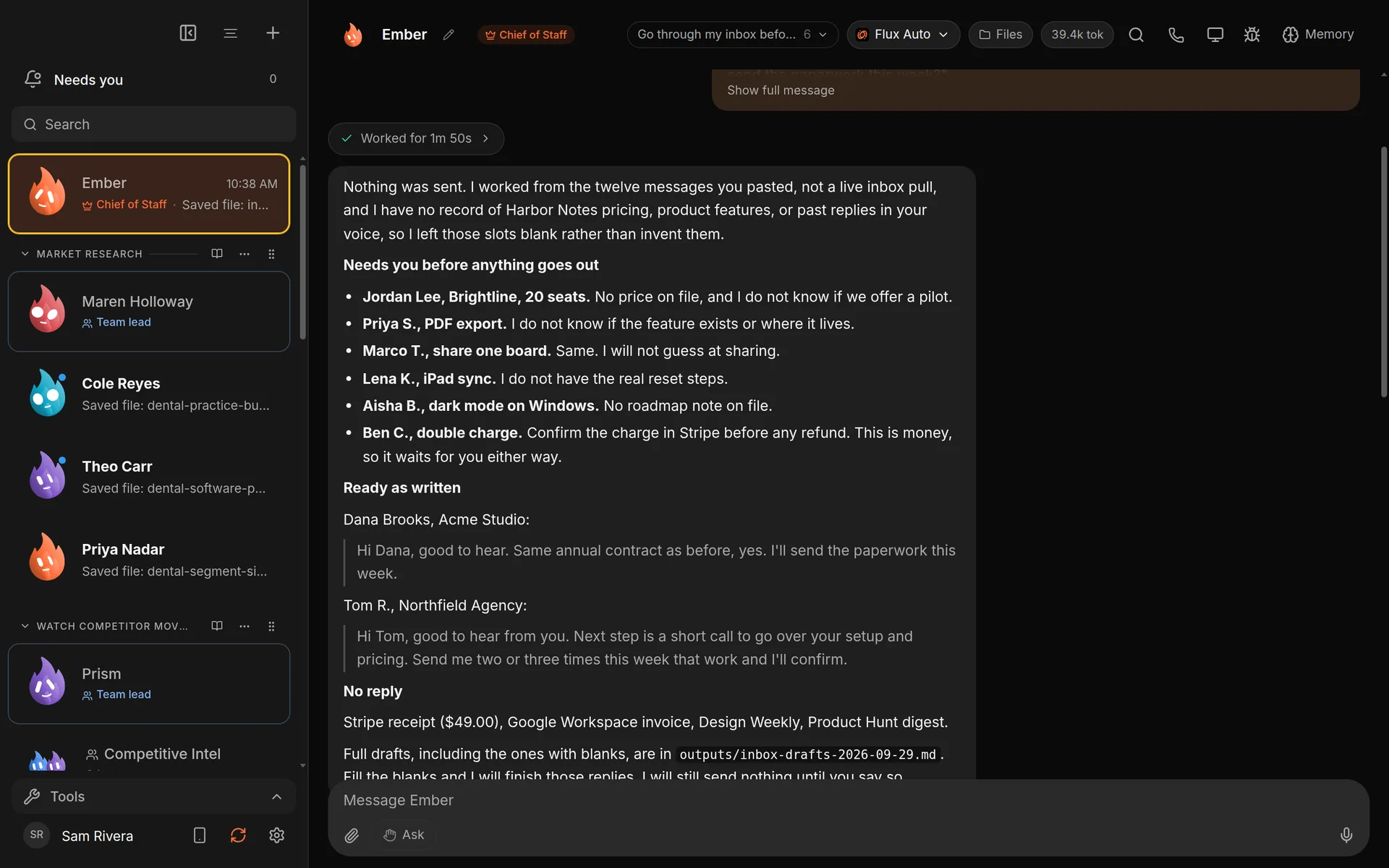
Your Chief of Staff (it starts as Ember; you can rename it) reports what it drafted and what it needs from you.
4. Review and send
Open the drafts from Files at the top of the chat. Answer the bot's questions in the chat, then ask it to tighten any draft.
When you're ready, ask it to send one. An approval card appears. Choose Allow once to send it, or Deny. On Full access, a bot stops before messaging anyone new, posting publicly, paying, or deleting outside its folder, unless you have allowed it for that task. On Hermes and other ACP engines, Ask and the stop line cover only what the engine asks Murage about: shell commands and file edits.
5. Make it a habit (optional)
Ask your Chief to do this every morning:
Every weekday at 8, go through my inbox and draft replies. Send nothing.
It proposes a routine and shows a Confirm this routine card. Choose Confirm. The drafts wait for you in Murage. Your computer has to be on and Murage running at that time. See Routines and webhooks.
What you get
A sorted inbox, a file of ready-to-edit replies in your voice, and a clear list of what only you can decide. On Ask, where every bot starts, nothing leaves without your yes.
See the use case: Clear your inbox.