Engines
Every engine Murage can run, and how to set the engine and model for each bot.
An engine is the AI program that does a bot's thinking. Murage starts the engine on your computer and shows its work in the chat. Each bot can use a different engine and model.
Engines you can use
These appear in the Engine list in a bot's settings:
- Fuigo: comes with Murage and is always installed. It needs a model to think with: a Flux Router key, a model key, or a local model.
- Claude (Claude Code), with your own Claude sign-in.
- Codex, with your own Codex sign-in.
- Grok (Grok Build), with your own sign-in.
- Antigravity (Google Antigravity).
- Cursor (Cursor Agent).
- Kimi.
- Droid (Factory Droid).
- OpenCode, using your existing OpenCode providers or an OpenCode API key.
- Qwen.
- Hermes.
- pi.
- OpenAI-compatible, for services like OpenRouter or Groq. Chat and writing only, no tools.
- Computer, the engine that drives a cloud computer. See Computers.
Your sign-in or key decides what you can use and who bills you. Murage doesn't turn one subscription into access to another.
Model keys and local models
Settings → Models holds model connections:
- Flux Router: one key for 70+ models. See Turn on Flux Router.
- Provider keys: Anthropic, OpenAI, OpenRouter, DeepSeek, Mistral, Groq and xAI. Choose Add connection and paste a key.
- Local models: a model server on your machine or network, such as Ollama, LM Studio, llama.cpp, vLLM or EXO.
Install and sign in
Settings → Engines lists your engines with their status, such as "Detected · signed in", "Detected · sign-in required" or "Not detected". You can enable or disable each engine. If Murage can't find an installed engine, choose Set CLI… to pick it yourself.
If an engine is signed out, your Inbox shows it under engines to sign in to. Choose I don't use that engine to turn it off instead.
Pick the engine and model for a bot
Open Bot settings → Model, pick the Engine, then pick a model from the list. The list shows context size and a rough price band for each model. The choice applies to new conversations; existing ones keep their model. You can switch the model for the current conversation from the model button at the top of the chat.
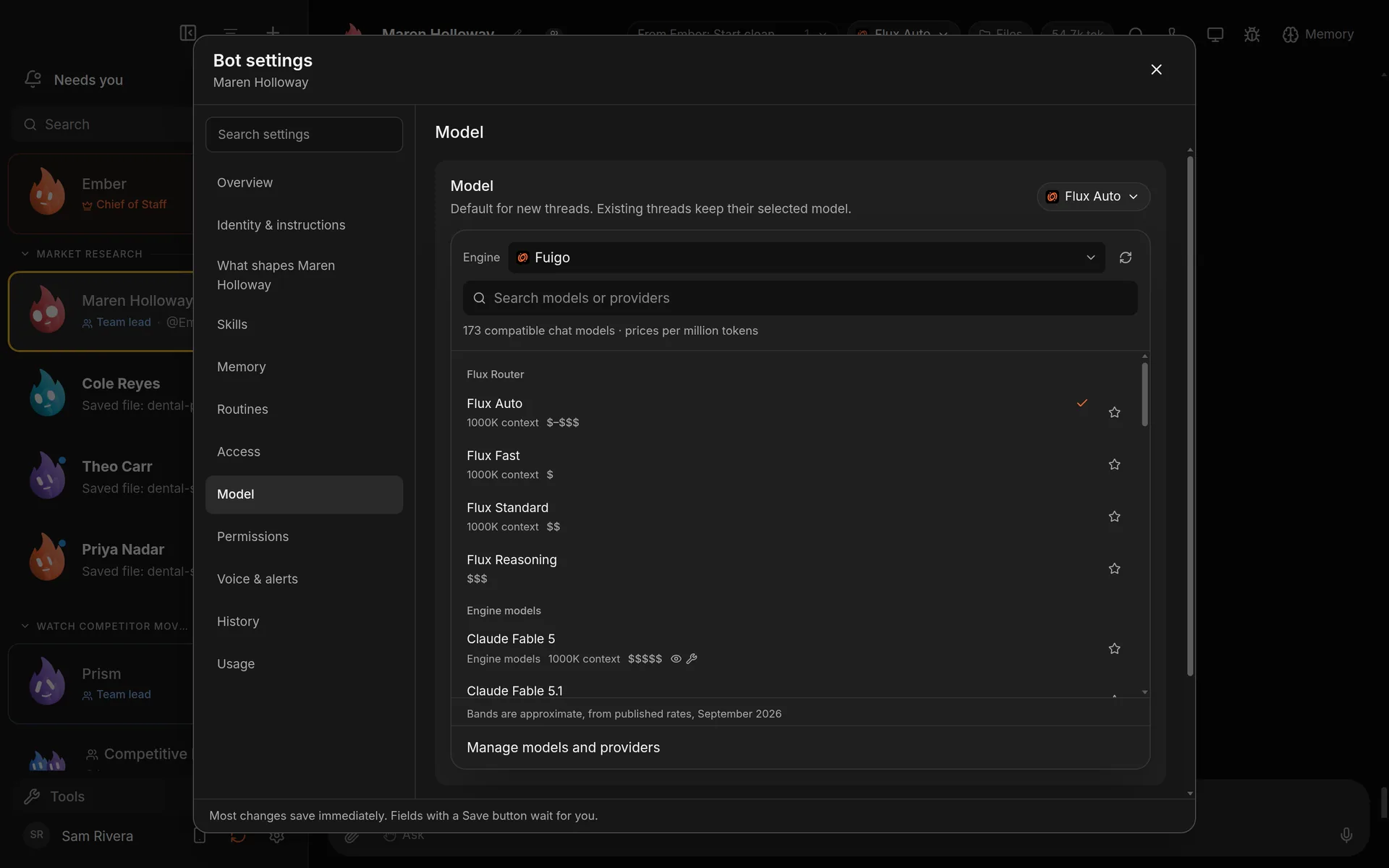
Flux Router choices first, then the engine's own models. Demo workspace. Your Chief of Staff starts as Ember; you can rename it.
Engine commands
Type / in the message box to see the bot's engine's own commands, such as Codex's /review and /compact, alongside Murage's. This works for Claude Code, Codex, Grok Build, Fuigo, OpenCode and other compatible engines. A command never interrupts a turn that's running.
Not every engine does everything
Engines differ in what they can do inside Murage: handing work to other bots, using connected apps, controlling a computer, or using the browser. When a feature needs a different engine, Murage says so, for example "Choose Claude or an ACP engine".
Problems? See Engine troubleshooting.