A morning brief every weekday
Set up a routine that has one page waiting for you each weekday morning.
There are three ways in. Pick one. Option B is the one most people use.
Option A: from the welcome
Step 1
Pick it in the welcome
If you're still in the welcome, pick Brief me every morning. Ember shows what it needs to connect, runs a first brief so you can read the real thing, then asks Want this waiting for you every morning? Pick a time and choose Set my morning brief.
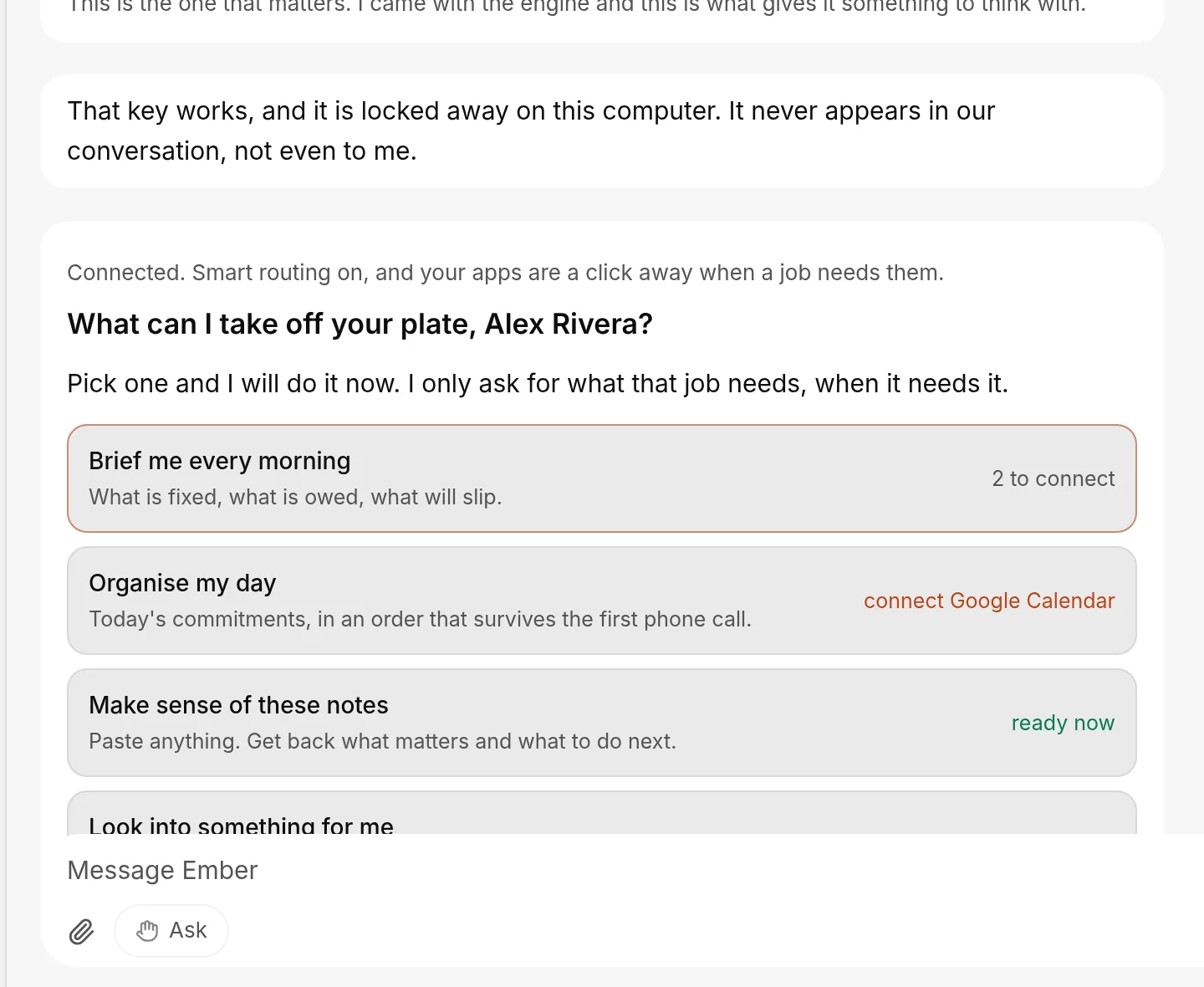
You're done when: Ember has a first brief for you to read and offers to schedule it.
Option B: ask your Chief
Step 2
Ask in plain words
Message your Chief of Staff:
Every weekday at 7, send me a brief: what's in my calendar today,
which emails need me, and anything I said I'd do.
You're done when: your Chief proposes a routine.
Step 3
Confirm the routine
Your Chief proposes a routine. A Confirm this routine card shows the name, the schedule, the next run and the instructions.
Read it, then choose Confirm. Choose Cancel to change something first.
Your Chief of Staff (it starts as Ember; you can rename it) proposes the routine. Nothing is scheduled until you confirm.
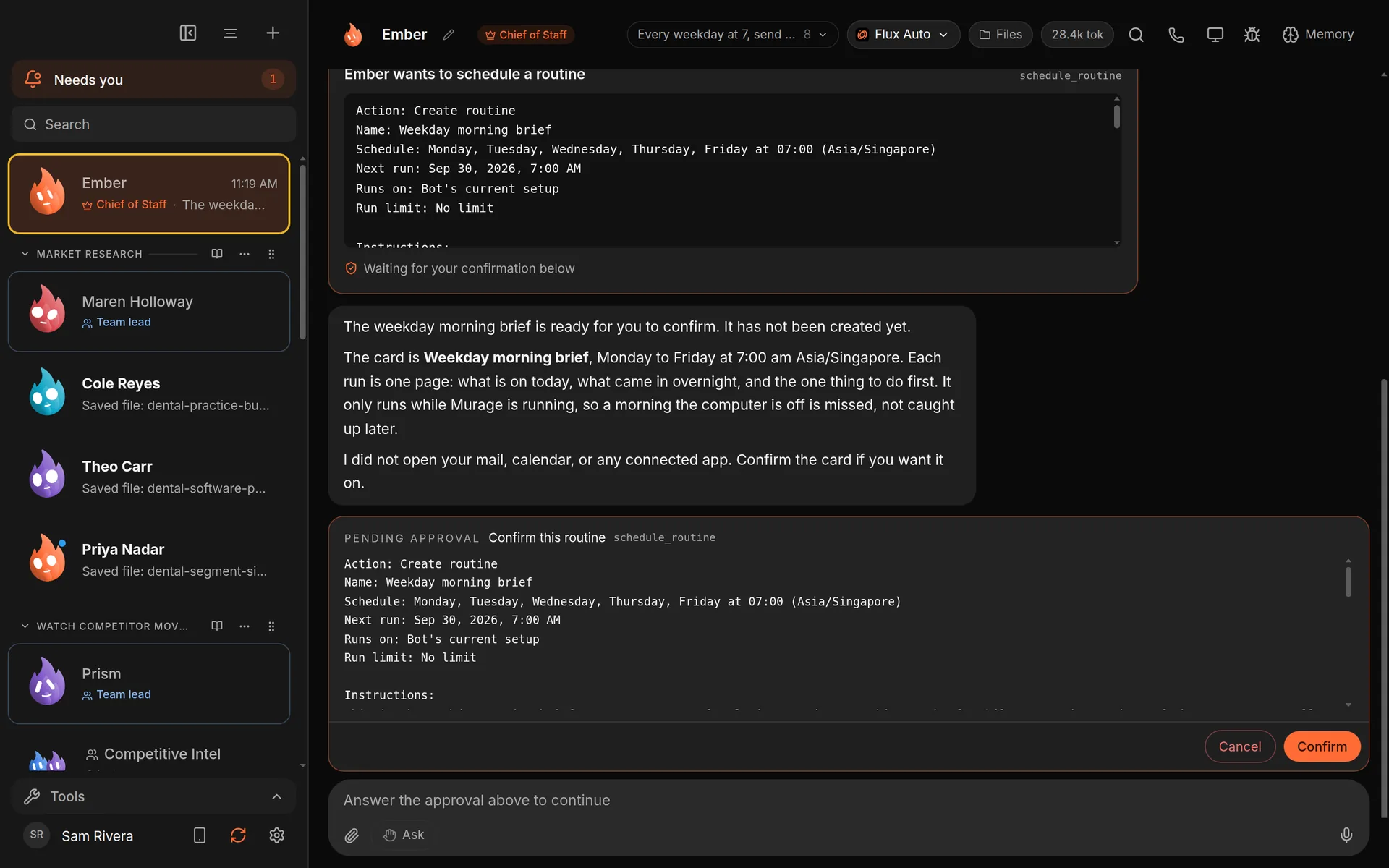
You're done when: you chose Confirm and the routine is scheduled.
Option C: build it yourself
Step 4
Fill in the routine
- Open Routines from the sidebar.
- Choose New routine.
- Under Assign a bot, pick your Chief of Staff.
- In What should the bot do?, write the brief you want.
- Set the time and choose Every weekday under repeat.
- Save it with Schedule routine.
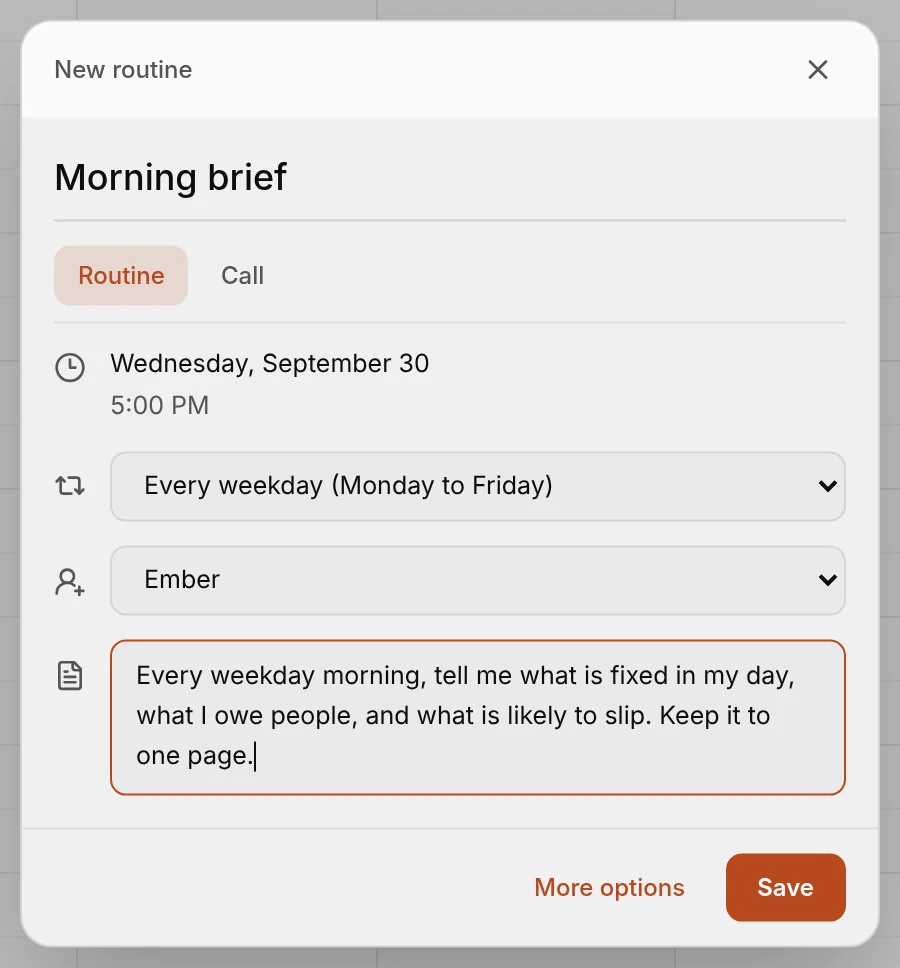
You're done when: you chose Schedule routine.
Check it worked
Step 5
Run it once
Choose Run now on the routine to get a brief straight away. Each run leaves a receipt on the Routines page, and the result appears in the bot's chat and under Results in your Inbox.
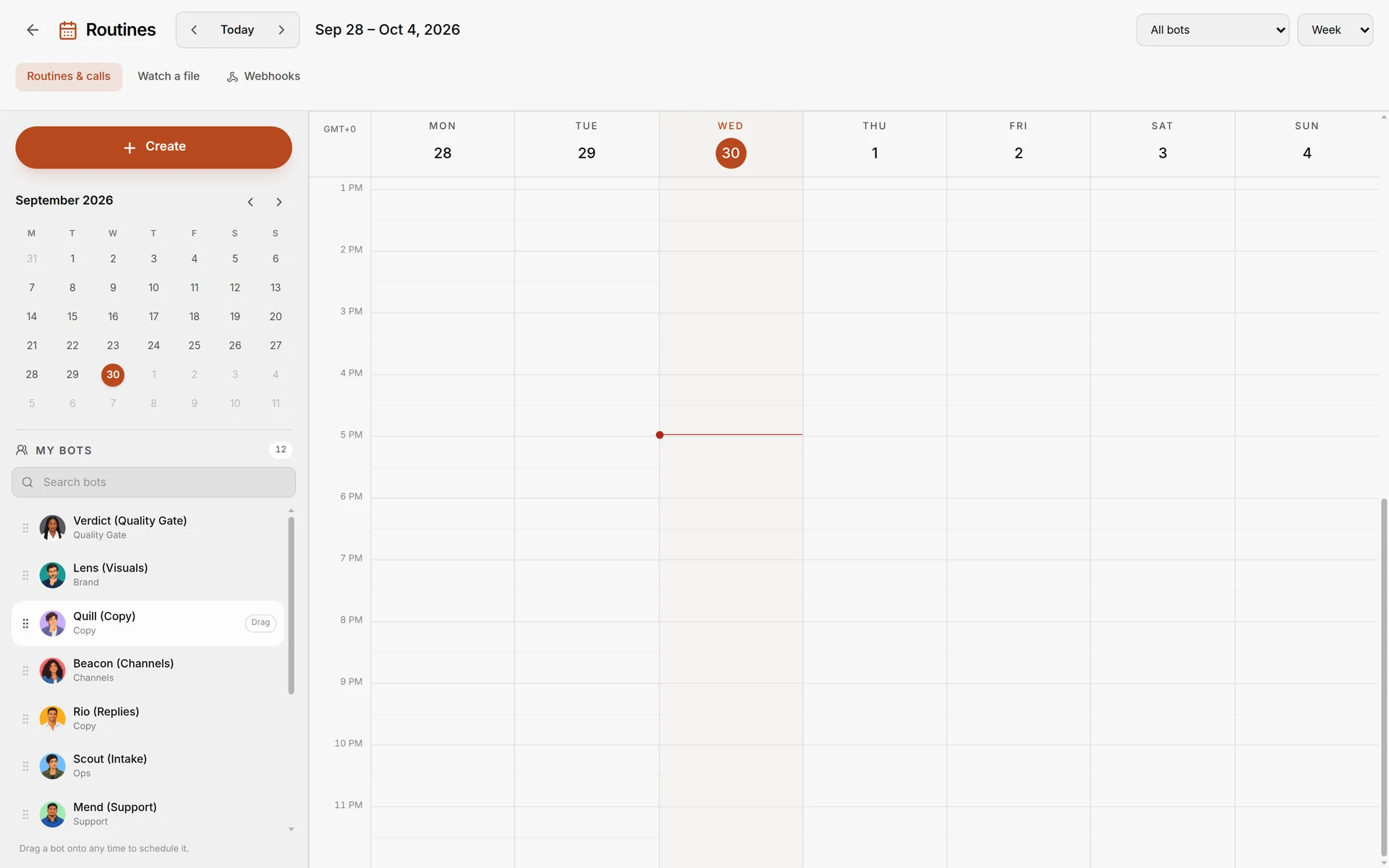
You're done when: a brief appears in the bot's chat and under Results in your Inbox.
Good to know
- Your computer must be on. Routines run on your computer. It has to be on, and Murage running, at the scheduled time.
- Late runs. A run up to 12 hours late still happens; later than that it's marked as missed.
- Permissions. The first brief may ask your permission as it reaches for each app. Answer when you like; it carries on.
What you get
A one-page brief waiting in Murage every weekday, built from your calendar and mail if you connected them.
See the use case: A morning brief.