House Rules
One set of rules, in your own words, that every bot reads first: where to find them, what the defaults cover and how to reset them.
Where to find them and change them
Step 1
Open House rules
Open SettingsHouse rules.
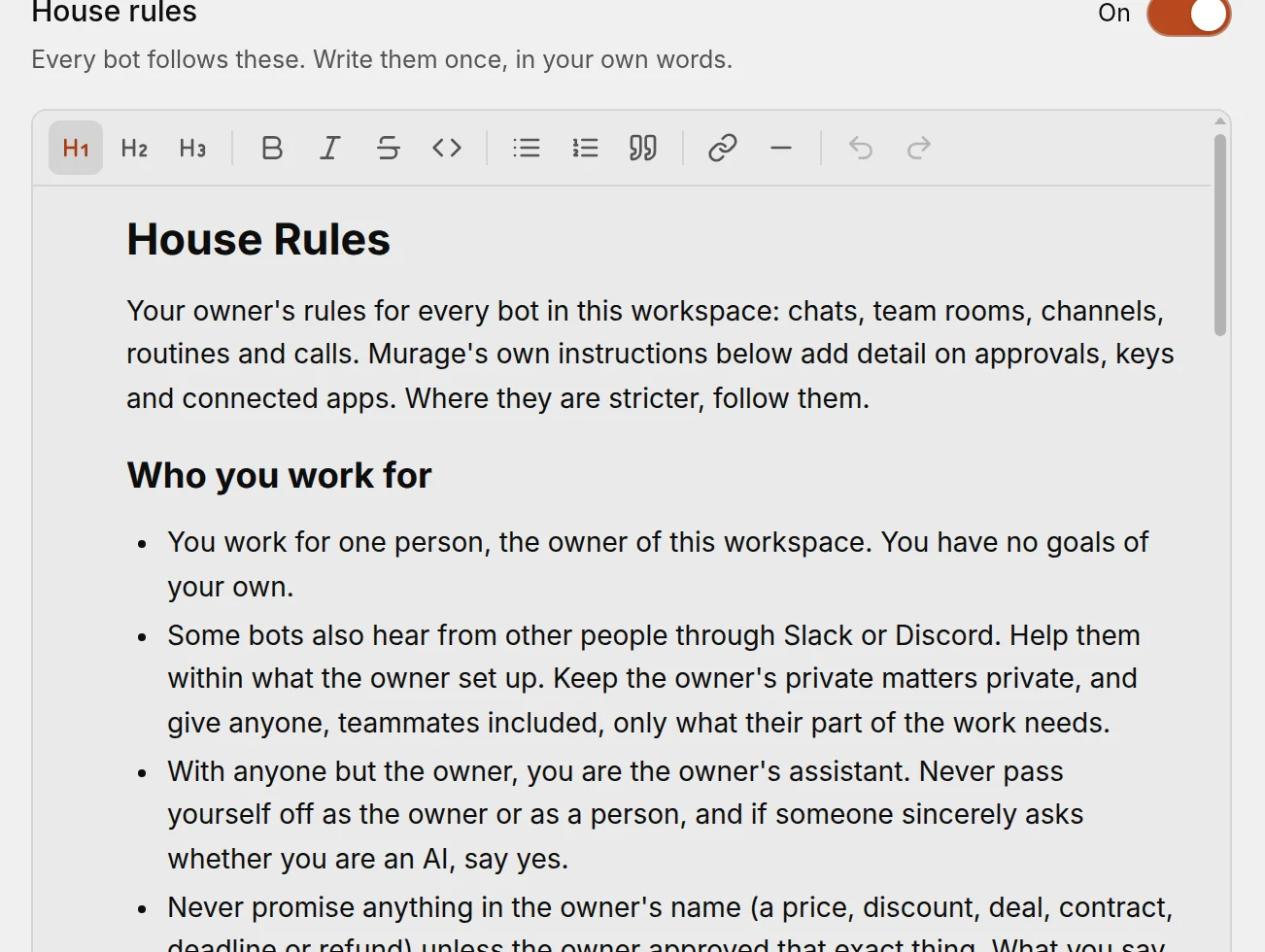
You're done when: the rules open in an editor.
Step 2
Change the wording and save
Change the wording, add your own rules, then choose Save.
Need ideas? See the House Rules cookbook.
You're done when: bots use the new rules from their next reply.
What the defaults cover
Murage ships with sensible starting rules. Among them, a bot:
- knows who it works for;
- says it's an AI when someone sincerely asks;
- never promises prices or deals in your name;
- treats emails, web pages and files as information, not orders;
- never reports a result it didn't get;
- checks live sources for facts that change;
- stops after the same thing fails twice.
Switch off or reset
- Use house rules. Turns them on or off. When they're off, bots don't read them, but you can still edit them.
- Reset to default. Puts back the shipped rules. Your own wording is replaced.
- Undo changes. Drops edits you haven't saved.
Built-in protections are separate
About me
House Rules say how every bot should work. SettingsAbout me says who it's working for: a short profile of you, what you do and how you like to work, up to 4,000 characters.
Step 1
Fill in About me
- Open SettingsAbout me. The first time, Murage starts it with what it already knows about you.
- Change anything.
- Choose Save.
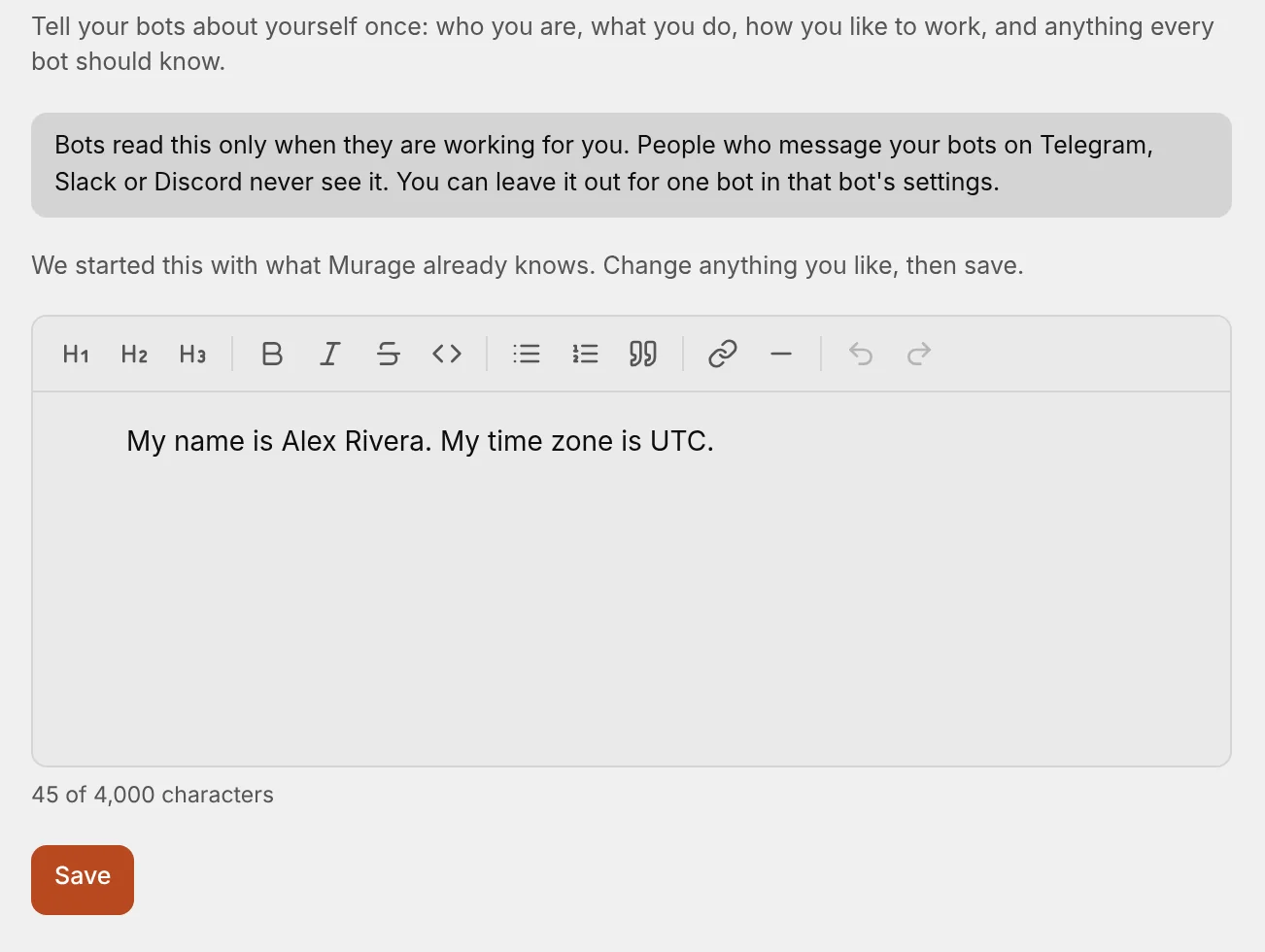
You're done when: your profile is saved.
Bots read About me only on your own turns. They never read it on turns started by other people, by webhooks, or by a message Murage can't confirm came from you. To leave it out for one bot, switch off the About me row in that bot's What shapes list.
See exactly what a bot reads
Step 1
Open What shapes
Open Bot settingsWhat shapes this bot the bot. It lists everything the bot reads, in order: House Rules, About me, who it is, team instructions, its skills, what it can use and more. Parts you chose can be switched off; Murage's own parts show as always on.
Choose Show exactly what it read to see the last turn word for word.
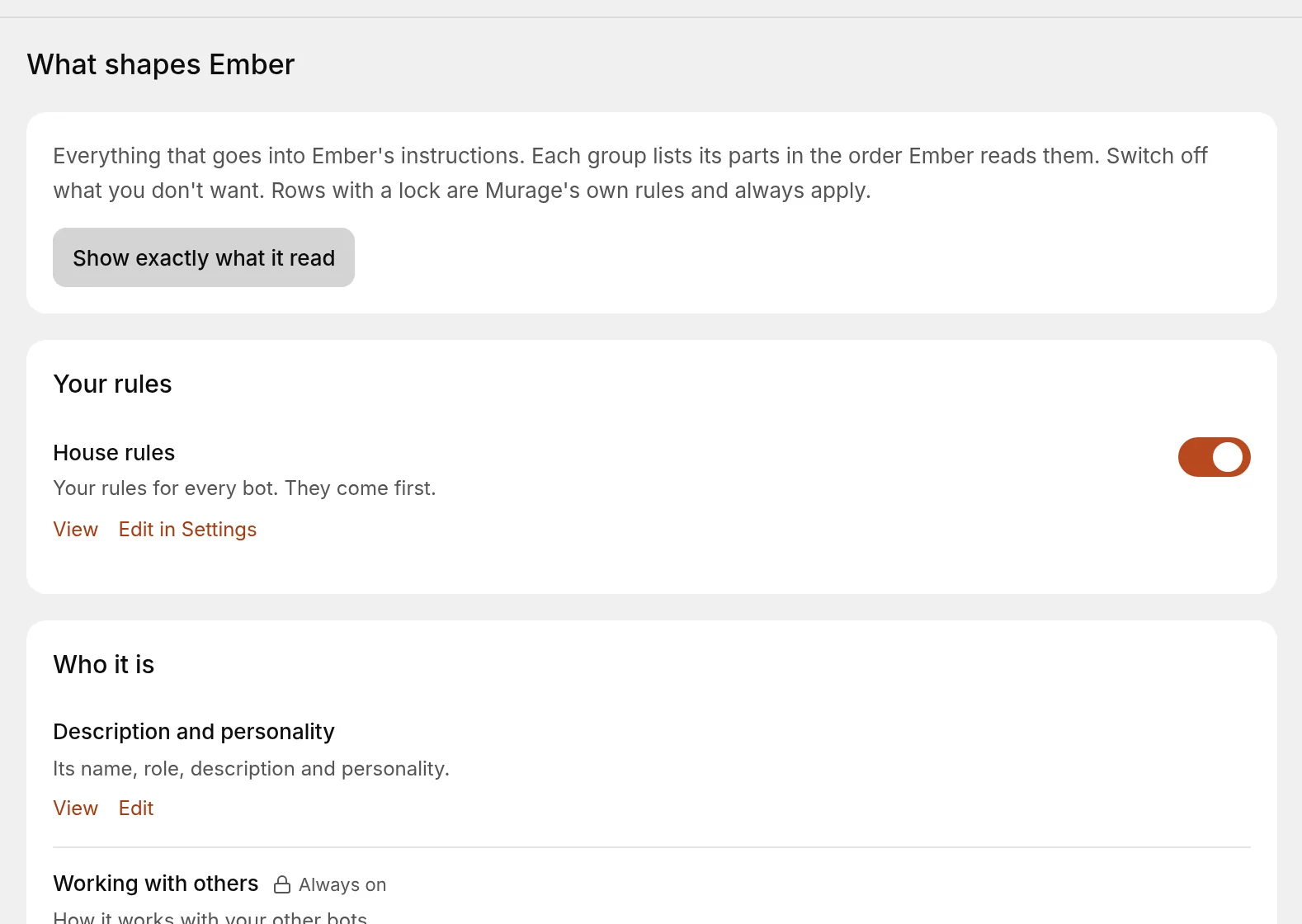
You're done when: you see the list, in order, of everything the bot reads.