A daily check on your competitors
A routine that checks your competitors every day and tells you what changed.
Set up a bot that checks your competitors on a schedule and reports only what's new: prices, launches, messaging, hiring.
Before you start
- A working engine that can search the web.
- The names and websites of the competitors you care about.
1. Pick the bot
Use your Chief of Staff, or give the job its own bot. To start from a template, choose + in the sidebar, then New Team, and type "watch competitors". The library has a Watch Competitor Moves team. Check the preview of its bots and skills, and choose Create.
2. Say what to watch
Message the bot:
Every weekday at 9, check these three competitors' pricing pages,
changelogs and job posts: Acme, Brightline and Northwind.
Compare with the last check and tell me what changed, with links.
Leave the report in Murage.
3. Confirm the routine
The bot proposes a routine. A Confirm this routine card shows the name, the bot that runs it, the schedule and the next run. Choose Confirm.
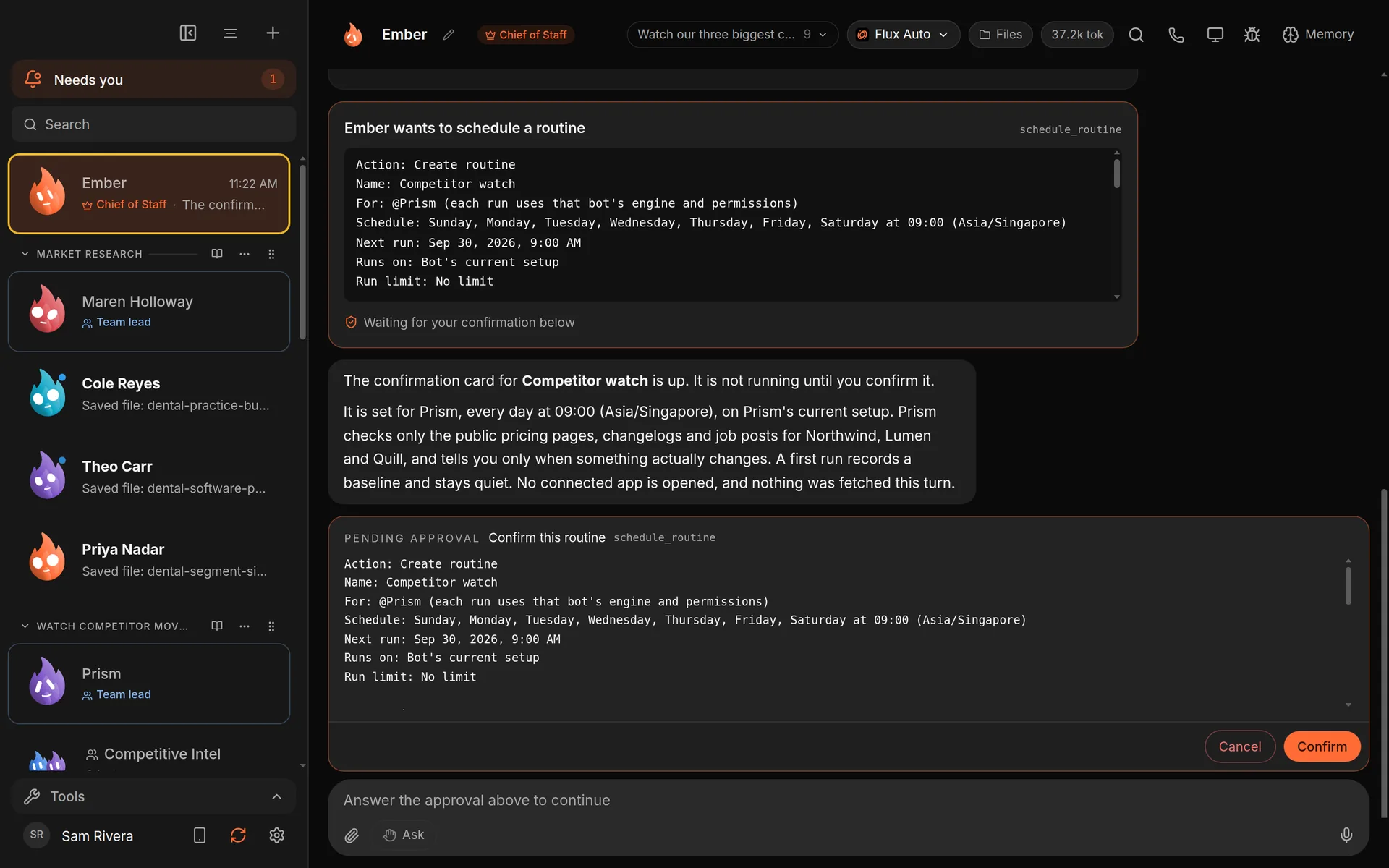
The routine is only scheduled after you choose Confirm. It runs as a daily routine while your computer is on. Demo workspace. Your Chief of Staff starts as Ember; you can rename it.
4. Read the reports
Each run leaves a result in the bot's chat and under Results in your Inbox. To see or change the schedule, open Routines from the sidebar. You can Run now, Pause routine or edit it there.
Good to know
- Routines run on your computer. It has to be on, and Murage running, at the scheduled time.
- A routine runs at its own approval level, set in its editor under Advanced → Approvals for this routine. If you don't set one, it follows the bot's level. If a run needs you, Murage tells you at once and the run waits for your answer.
- If a run keeps failing, the Routines page shows a problems list.
What you get
A short daily note of what changed at each competitor, with links, waiting for you in Murage.
See the use case: Watch your competitors.