Bots talking to each other
Who a bot can reach, why there is no switch to turn on, how to widen a bot's reach with Can talk to, projects and sharing, where to read what bots said, and what to do when a handoff didn't start.
Who can reach whom
By default a bot can contact every bot on its own team, its team lead if it is a member, and the Chief of Staff if it is a team lead or a bot on its own. A bot with no team sits in the General group. The Chief of Staff reaches every team lead and every bot on its own, plus its own team, and reaches an ordinary member of another team through that team's lead. A member cannot reach another team's bots on its own.
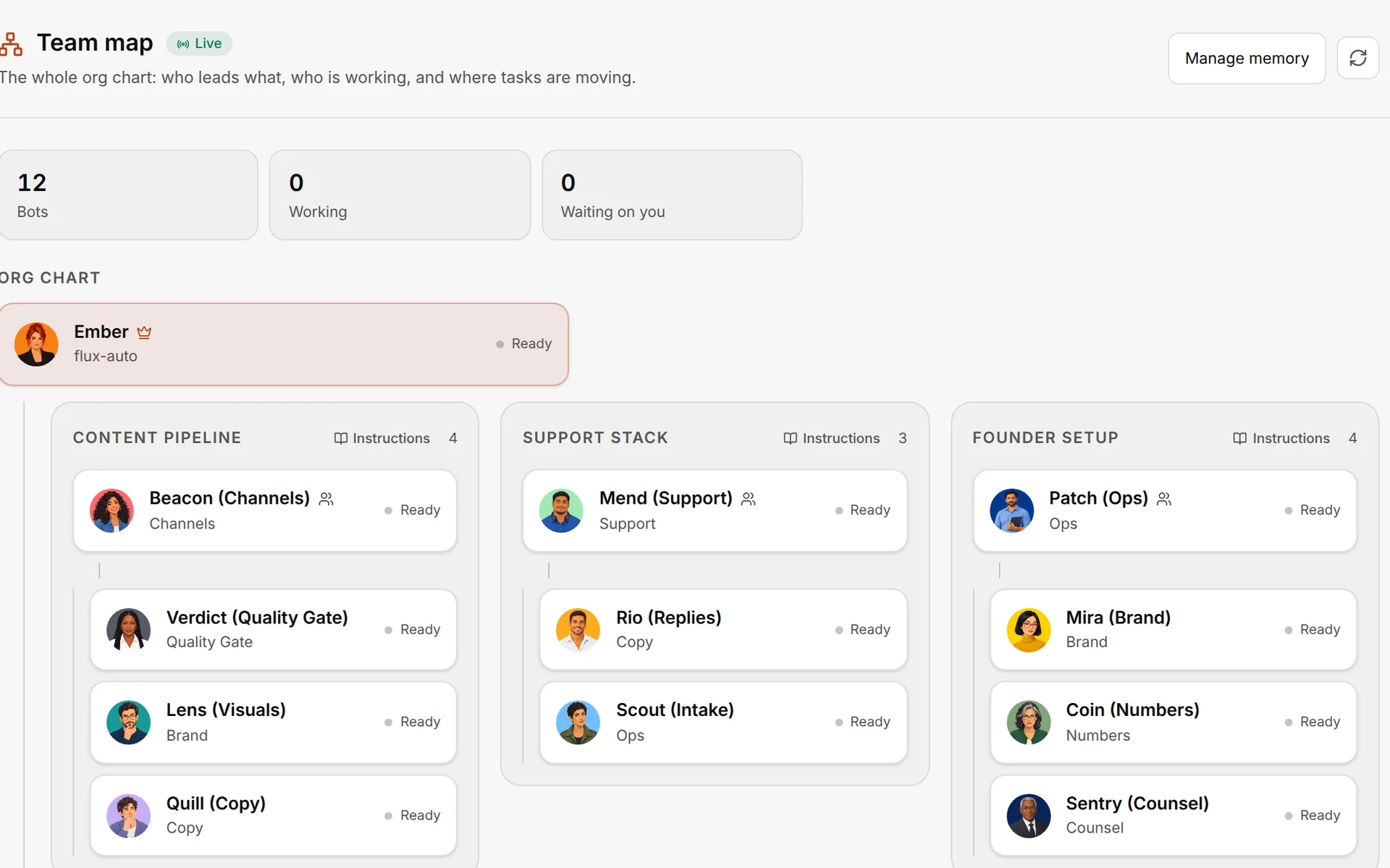
A bot needs an engine that can contact other bots to be a Chief of Staff or a team lead. Fuigo and the Claude engine can; see Engines.
Widen a bot's reach
Three ways, from the simplest.
Step 1
Put them on the same team
Right-click a bot in the sidebar and choose Move to team…. Or open the team's Team options and choose Manage members and lead.
You're done when: both bots sit under the same team heading in the sidebar.
Step 2
Or put them in a project
Choose + at the top of the sidebar, then New Project, and add both bots as members. Members of the same project can ask each other for project work whatever team each belongs to, and nothing in their settings changes. See Projects.
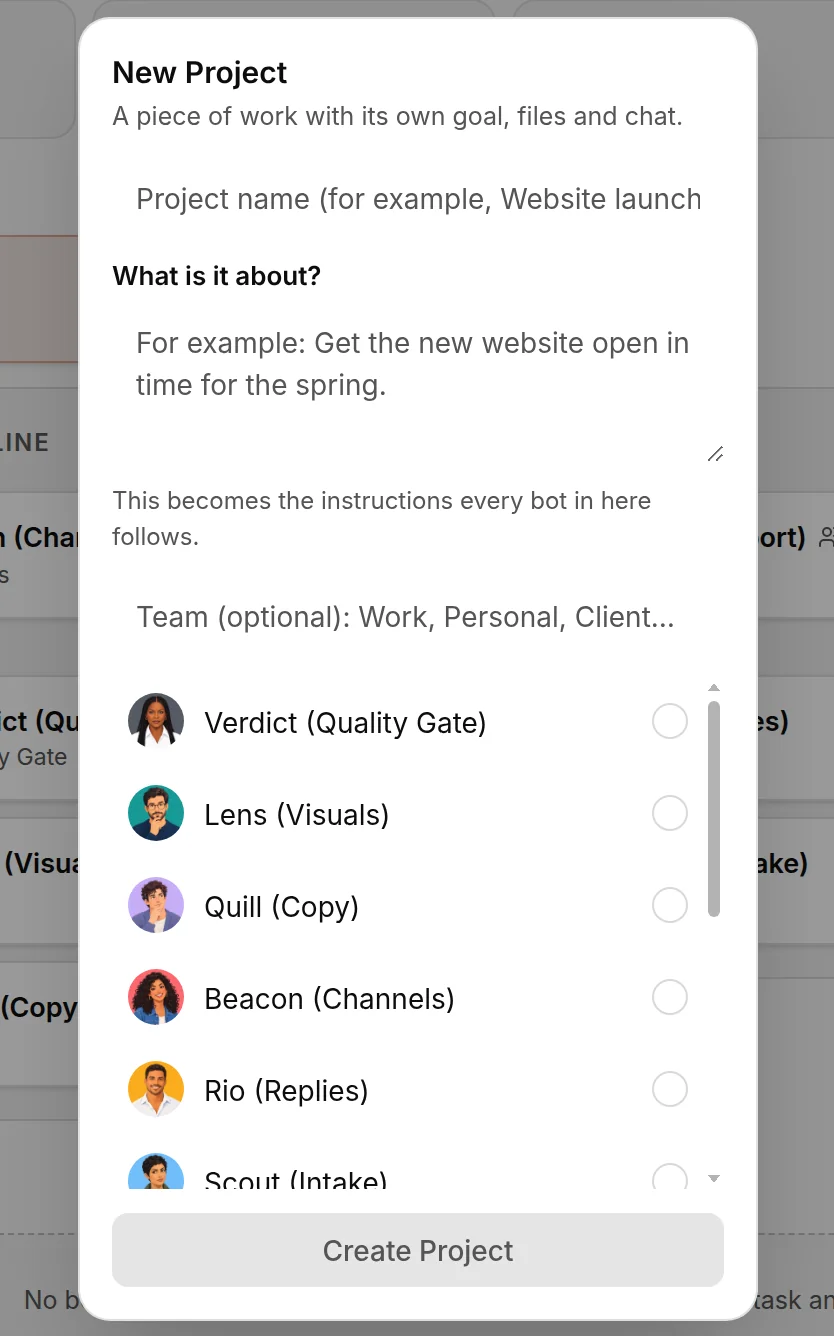
You're done when: the project lists both bots as members.
Step 3
Or set Can talk to
Open Bot settingsPermissionsCan talk to. It has three choices: My team, the default; Everyone, any bot in the workspace; and Pick bots, your team as usual plus the bots you tick.
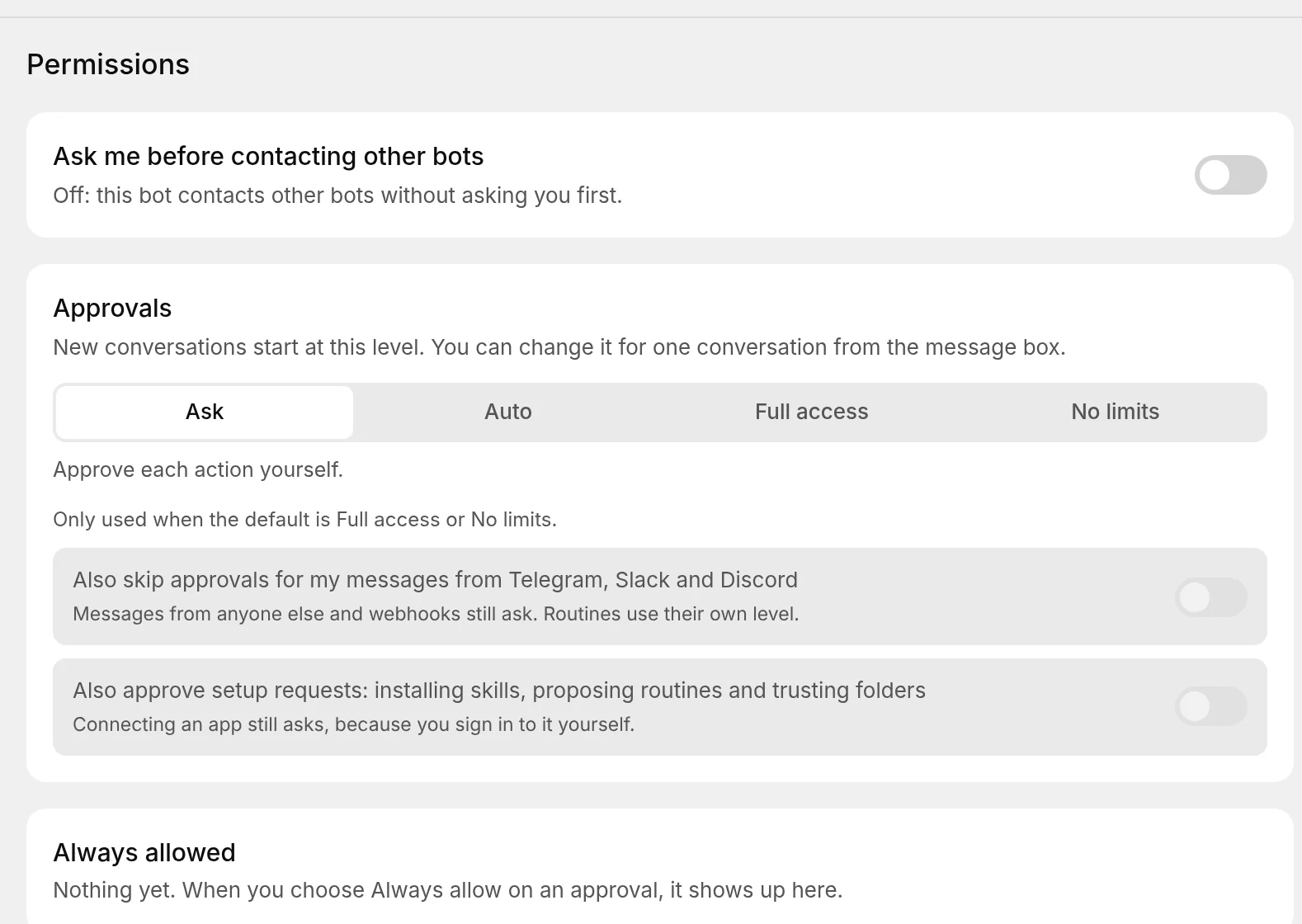
You're done when: the setting shows Everyone, or the bots you ticked.
Don't set every bot to Everyone to be done with it. The team shape is what lets your Chief hand work down through a lead and get one report back, and a workspace where every bot can message every other one is harder to read in the Team map and in the Inbox. Widen one bot when it has a reason.
Only you can change Can talk to, in the desktop app. A bot cannot change its own setting, a phone cannot, and a restore resets it to the default. That is deliberate. The settings that decide what an engine may do are protected, so a bot cannot widen its own reach or switch off its approvals from inside a turn, and Murage's own approval hooks cannot be changed by bots at any level.
Share one bot with several teams
A bot can work for other teams while keeping its home team. Open Bot settingsTeamsShared with and choose No other team, These teams or All teams. A shared bot does one job for each team at a time, so a researcher shared with four teams can be busy for one while the other three wait.
Be asked first
Bot settingsPermissionsAsk me before contacting other bots adds an approval card. With it on, the bot stops and asks before it contacts another bot. The card expires after 15 minutes without an answer. This switch decides whether you are asked, not who the bot can reach. Under Full access or No limits the card is skipped in conversations you start and in routines at that level; webhook turns still stop and ask.
Read what they said
When one bot contacts another, Murage keeps the exchange in a bot-to-bot channel. It shows in the sidebar like any room, with the full history. Both bots' own chats get a chip that opens it, so you can read what they said and chip in. These exchanges run on the same engines as any chat, so they use your quota too.
A quick question goes as an ask and comes back inside the same reply. If the other bot is busy or takes longer than about 15 seconds, the question turns into a handoff and the answer arrives after the asking bot finishes its turn. A handed-over task starts after the current turn ends and its result comes back into the conversation by itself. If you ask a bot to wait for a handoff, it waits for 60 seconds by default and up to 240 at most; otherwise it checks on the task without waiting, and sees whether it is queued, running or finished.
When a handoff didn't start
You see
Hand-off cancelled, or the teammate never picked up the workDo this
Open the project's Activity. It names what held the handoff up: a busy teammate, a bot that is not on the roster, an approval you denied, or a cancellation. Fix that one thing. Change Can talk to, wait for the teammate to finish, or answer the approval card.
You see
A handoff is waiting on you after a restartDo this
A restart can cut off a handoff after the other bot may already have taken it. Murage holds it rather than send the work twice and offers Send again and Dismiss. Pick one and the line goes away.
You see
The bot says another bot is not on its rosterDo this
The bot cannot see the one it was asked for. Put them on the same team, add both to a project, or set Can talk to. A lead or the Chief of Staff may see a bot it cannot message directly, marked as one to coordinate through its team lead.
Building the team in the first place is on Teams and team leads. What your Chief of Staff does with all this is on Chief of Staff.