Run a launch as a project
Give a launch its own goal, bots, files and chat, and let a lead coordinate the work.
A project is a chat with some bots that also knows what it's for. Every bot in it follows the goal you write. Here's how to run a product launch that way.
Before you start
- A few bots you want on the launch, for example a copywriter, a researcher and your Chief of Staff. If you don't have them yet, see Build a team with a team lead.
1. Create the project
- Choose + in the sidebar, then New Project.
- Name it, for example "Launch week".
- Under What is it about?, write the goal in plain words, up to 2,000 characters. Include the deadline, the budget and what you want brought to you. This becomes the instructions every bot in the project follows.
- Optionally put it under a team heading in the sidebar.
- Tick the bots to include and choose Create Project.
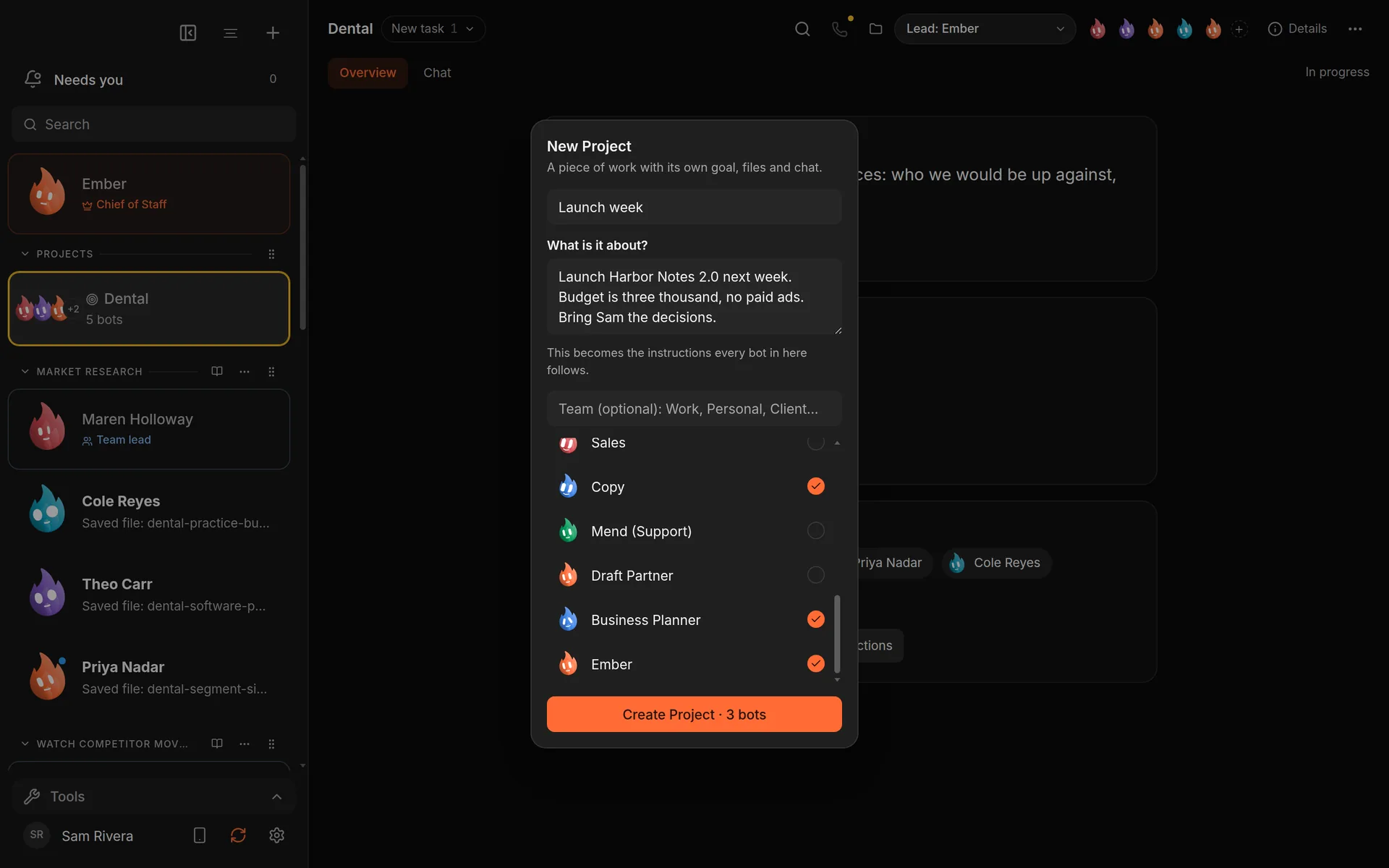
The New Project dialog. The goal becomes every member's instructions. Demo workspace. Your Chief of Staff starts as Ember; you can rename it.
2. Pick a lead
At the top of the project, use the lead picker to choose which bot coordinates the others. The lead hands out work and pulls the results together.
3. Start the work
Open the Chat tab and write to the whole project. To keep the team going until the goal is done, type /goal followed by what "done" means:
/goal Have the launch email, the landing page copy and the
announcement post drafted and reviewed by Friday.
The lead coordinates the members until the goal settles. Approvals still come to you.
4. Track it
The Overview tab shows What this is for and the project status: In progress, On hold or Finished. Change the status as the work moves. Files the bots create are kept with the project.
To run a goal on a schedule, open Routines, choose New routine, and pick a team goal for the project.
Good to know
- Already have a channel for this? Open it and choose Make it a project.
- Projects have a goal, files, chat and a status. They don't have tasks, milestones or due dates.
What you get
One place for the launch: a written goal every bot follows, a lead who coordinates, a shared chat and files, and a status you can see at a glance.