Import a ready-made team in 2 minutes
Pick a team from the library of 68, check what's in it, and give it its first job. Most teams need no connected apps.
Murage comes with a library of 68 ready-made teams, for jobs like sales, support, content, research and back-office work. Each one arrives with its bots, their instructions and their skills already set up. 62 of the 68 need no connected apps at all, so you can have a team working in about two minutes.
Before you start
- A working engine. See Connect an AI engine.
That's all. No Gmail, no Slack, no Flux Router.
1. Open the library
Choose + in the sidebar, then New Team.
2. Describe the job
Under What should it do?, write the job in your own words. For example:
run my back office: customer questions, stock and orders
Best matches lists the closest teams. Not sure what to type? Leave the box empty and browse by topic instead.
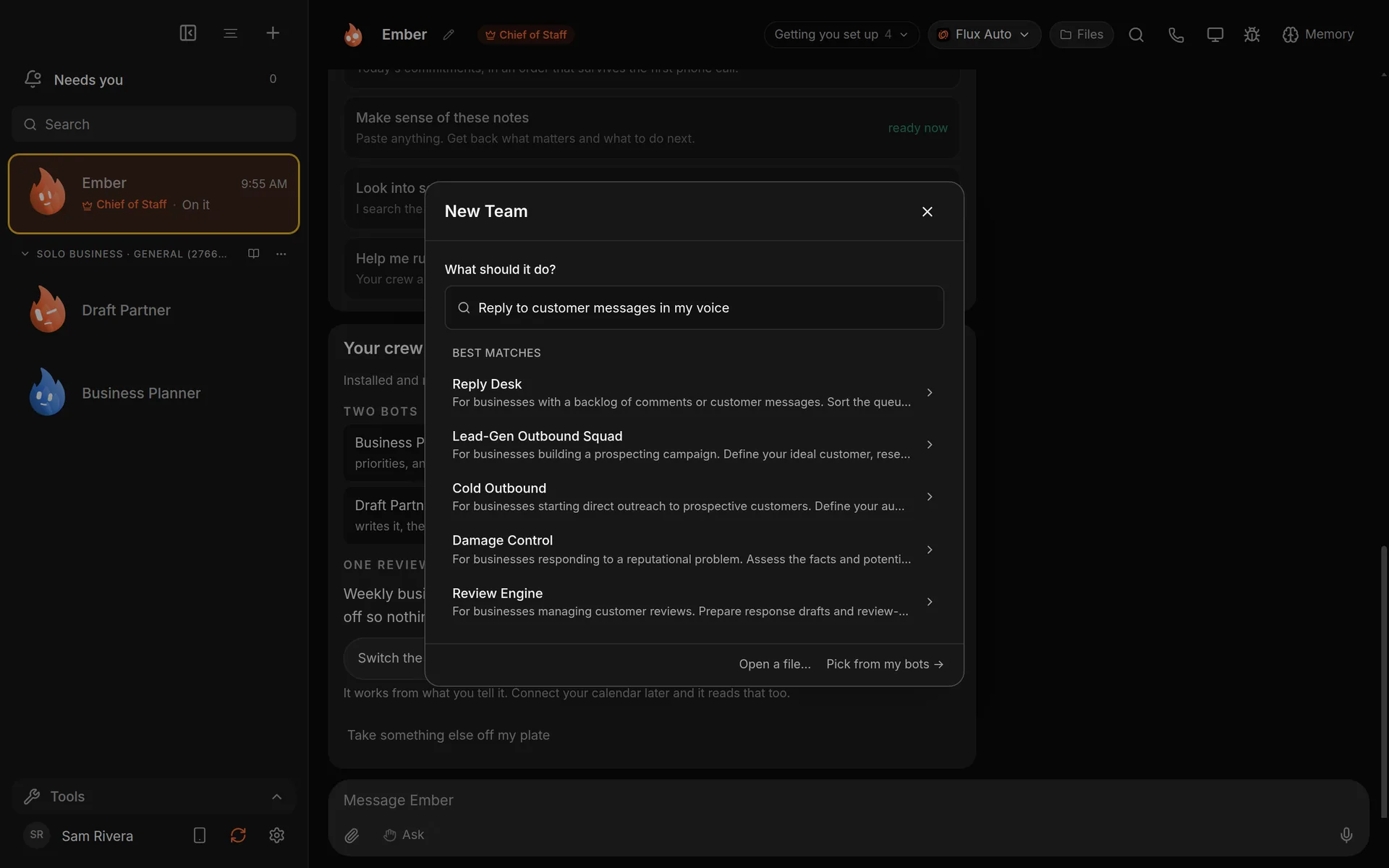
Describe the job and the closest teams come up. Demo workspace. Your Chief of Staff starts as Ember; you can rename it.
3. Check the preview
Choose a team to see its preview. It lists:
- Bots: who is on the team.
- How many skills it comes with.
- Routines, if it has any. They arrive switched off.
- Needs, only if the team uses an app such as Gmail or Google Sheets. Apps marked (optional) make the team better but aren't required.
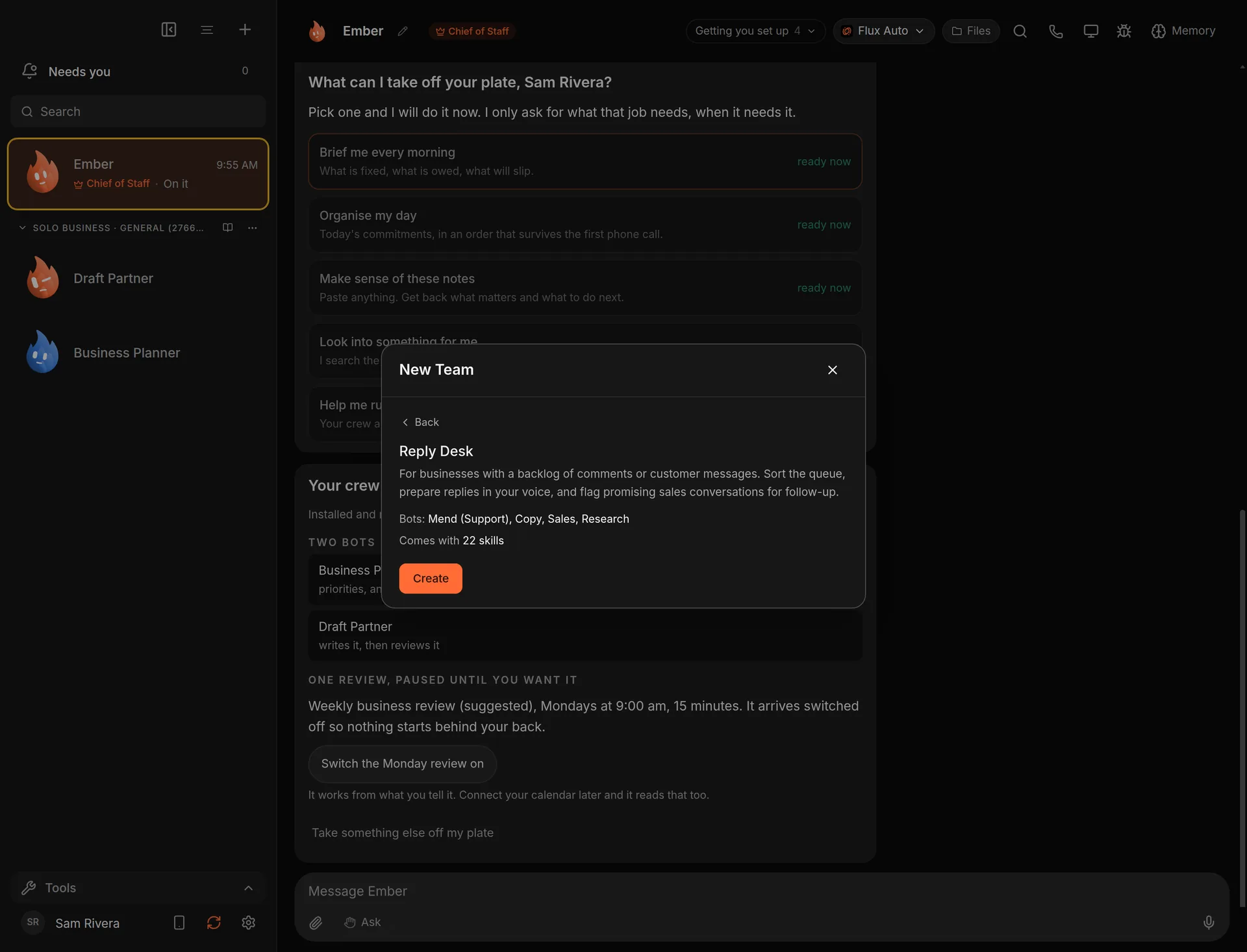
Read the preview before you create anything.
4. Create it
Choose Create. The team appears in your sidebar under its own heading, with each bot's instructions and skills in place.
If you already have that team, Murage tells you, and creating it again makes a second copy.
5. Give it a job
Message a bot on the team, or ask your Chief of Staff to hand the team something. Give it the facts it needs in the message. A team with no connected apps works from what you tell it and what it can find on the web.
As of today: a customer is asking when their order ships and I don't know yet.
We're out of our best-selling item. One order promised for last Friday
hasn't shipped. What should I do first, and draft the customer reply.
The bots work on it and report back. Nothing goes out, because a team without connected apps has nowhere to send it.
Good to know
- New bots start on Ask, so they check with you before they act. On Hermes and other ACP engines, Ask and the stop line cover only what the engine asks Murage about: shell commands and file edits. See Permissions and the stop line.
- Routines that come with a team stay off until you switch them on in Routines.
- The six teams that list apps work best once you connect those apps.
- Want your staff to have the same team? Export it and they import the file. See Share a team with your staff.
What you get
A working team in your sidebar, with its instructions and skills already written, and a first answer back in minutes.
Browse every team on the team library page.