Turn on Flux Router (optional)
One key for 70+ models, live web search, voice, pictures and 1,500+ connected apps.
Flux Router is optional. You don't need it to chat with a bot that runs on an engine you're already signed in to. It's the easy way to add the things that otherwise need a separate key each.
What one Flux Router key adds
- 70+ models through one key, with four Flux choices in the model picker: Flux Auto, Flux Fast, Flux Standard and Flux Reasoning. Flux Auto picks a model for each request.
- Live web search that returns a written answer with its sources, in chat and during calls.
- Voice: the voices your bots speak with on calls and in voice notes, and transcription of what you say.
- Pictures made right in the chat.
- 1,500+ connected apps, such as Gmail, Slack, Notion and GitHub. See Flux Router and connected apps.
Flux Router is a paid service that runs on credits. Model requests, searches and voice use your Flux Router balance.
Connect it
During the welcome, paste your key and choose Connect Flux Router. Choose I need a key to open the sign-up page first.
Any time later:
- Open Settings → Models.
- In the Flux Router card, choose Sign up for Flux Router if you don't have a key yet.
- Paste your key and choose Connect.
- Choose Test connection to check that the model catalog loads. This doesn't send a model request.
The key is stored in your computer's secure storage. It never appears in a conversation, and no bot ever sees it.
Use it for a bot
Open Bot settings → Model and pick a Flux model, such as Flux Auto. With the bundled Fuigo engine, Flux Router is all a bot needs to think.
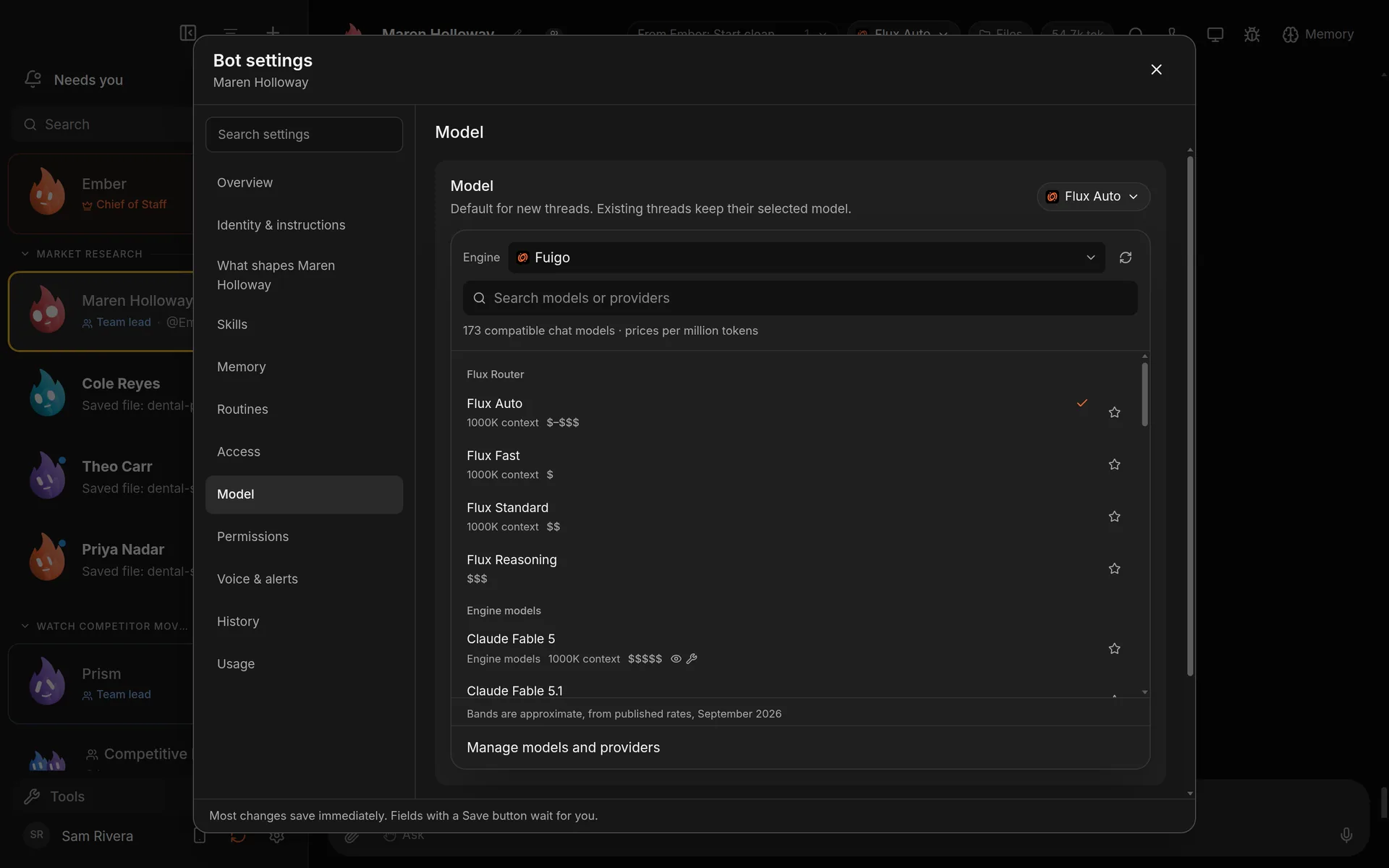
The four Flux Router choices at the top of a bot's model list. Demo workspace. Your Chief of Staff starts as Ember; you can rename it.
Turn it off
In Settings → Models, choose Disconnect Flux Router. Bots that used Flux models will need another model, and connected apps will need your own connected-apps key instead.