Chief of Staff
The one bot you talk to. It builds your team, hands out work and reports back.
Your Chief of Staff is the bot you talk to most. You tell it what you need. It decides who should do it, creates specialist bots when you need them, hands out the work and brings the results back to you.
Meet Ember
Every new workspace starts with one bot, named Ember, and Ember is your Chief of Staff. It wears a Chief of Staff badge in the sidebar and at the top of its chat. To rename it, open its Bot settings → Identity & instructions and change the Name.
There is one Chief of Staff per workspace.
What it does
- Hands out work. When you ask for something a teammate is better at, your Chief assigns it and stays free to keep talking to you. The finished result comes back into your conversation.
- Builds bots and teams. Ask for a team and it proposes the bots and their roles, then creates them when you agree. See Teams and team leads.
- Respects your org chart. Work for a team goes to that team's lead, who hands it to the right specialist.
- Talks to you everywhere. Your Chief is the bot you reach from Telegram, Slack and Discord.
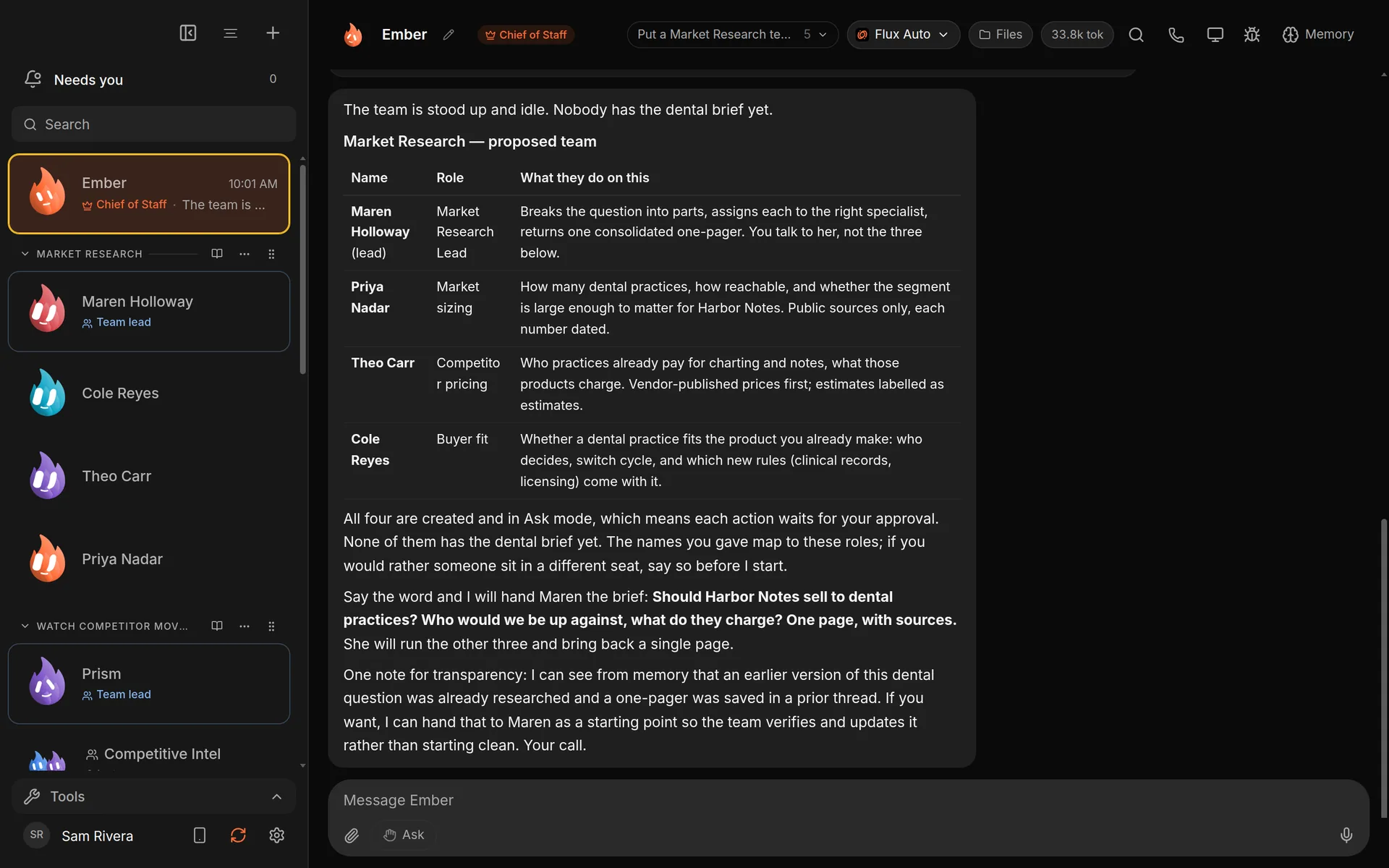
Your Chief of Staff (it starts as Ember; you can rename it) proposes a team and waits for your go.
Tips for briefing it
- Say what "done" looks like: one page, a list, a draft, a decision.
- Say what it must not do, such as "send nothing".
- Ask to see the plan first when it's a big job: "show me who you'd put on it before anyone starts".
The Chief of Staff guide
Your Chief comes with a built-in skill, the Chief of Staff guide. It covers how to run your morning brief, your day, your notes, research and the business. Find it in Settings → Skills under For your Chief of Staff. Choose Read it to see it, or Stop using to switch it off.
Good to know
- Handing work to other bots needs an engine that can contact teammates. If your Chief's engine can't, it says so and asks you to pick one that can.
- Bots your Chief creates start with no connected apps, no computer and no browser. You add those yourself in each bot's settings.
- To be asked before one bot contacts another, turn on Ask me before contacting other bots in Bot settings → Permissions.
- To see your Chief, team leads and specialists in one picture, open Team map from the sidebar.