How Murage works.
Brief your Chief of Staff, review the team it proposes and follow the work in one place. Each bot runs on an engine you choose. New bots start on Ask. The research job below shows what came back and what needed review.
Free and open source. macOS, Windows and Ubuntu.

One brief. A team. Work ready to review.
Here is one research job in a real Murage workspace. This is what came back; the four steps below show how it got there.
dental-market-research-onepager.md11,363 bytes · saved to Files
US dental note-taking: go / no-go
Recommendation: no-go as a standalone dental note-taking product.
- There is no separately sized market to sell into. Note-taking is a feature inside practice-management suites.
- The incumbent owns the chart, and the note lives in the chart.
- Every claim carries its source link. The gaps are listed at the end.
 Step 1
Give the brief
Tell your Chief of Staff what you want in plain words, with the limits. No forms, no setup per job.
“Put a Market Research team on this and show me who you would put on it before anyone starts: should we sell to dental practices? Who would we be up against, what do they charge? One page, with sources.”
The brief from the recorded run 
EmberEmber proposed a new Market Research team
- Maren HollowayLeadLead. Stitches the sourced inputs into the one-page call
- Theo CarrMarket sizing
- Priya NadarCompetitive landscape: who we’d be up against
- Cole ReyesPricing: what they charge
No one starts until you say go
Step 2Review the proposed team
Your Chief of Staff proposes the bots, their roles and what each one owns. Nobody starts until you say go.
 Step 3
Watch the work and approve
Open any bot and watch it work. When one reaches the stop line, such as emailing someone it has never written to, it waits for your answer.
Allow onceAllow for this taskAlways allowDeny
 Step 4
Keep the result and what it learned
The one-pager is saved in the workspace with a source on every claim. What the team should remember goes to memory you can open, pin or make it forget.
dental-market-research-onepager.md
Recommendation: NO-GO as a standalone dental note-taking product.



We don’t care which AI you use.
Murage sits above Claude Code, Codex, Hermes and a local model and runs each one as an engine (the AI that does a bot’s thinking). Pick one per bot: Codex for the code, Claude Code for the writing, a local model for the sorting. Change a bot’s engine next month and its name, notes, skills and routines stay put. Keep your AI plan; the app costs $0.


Claude Code and Codex
Your Claude or ChatGPT plan. Murage opens a one-line install, then you sign in on their own screen.
Runs a team and uses tools

Hermes
A model you choose, including a local one
Runs a team and uses tools
Fuigo, built in
Comes inside the app. Add a Flux Router key or a provider key (Anthropic, OpenAI, OpenRouter, DeepSeek, Mistral, Groq or xAI).
Runs a team and uses tools, with a supported model


Local models
Ollama, LM Studio or llama.cpp on your computer
Depends on the model. Murage tests it and tells you.
Any OpenAI-compatible API
An endpoint and a key
Chat and drafting only
Also: Grok Build, Cursor, Google Antigravity, Kimi, Qwen, Droid, OpenCode, Pi and ACP agents (a standard for running other agents). OpenClaw is coming. Every bot reads the same House Rules and works to one stop line. On Claude Code and Codex it also covers tools from MCP servers you add; on Hermes and other ACP engines it covers only what the engine asks Murage about. How engines work
Choose how much room each bot gets.
Four levels: Ask, Auto, Full access and No limits. New bots start on Ask. On Full access, a bot stops before messaging anyone new, posting publicly, paying, or deleting outside its folder, unless you have allowed it for that task. Replies in an existing conversation go ahead on Auto and Full access. No limits turns the stop line off. On Hermes and other ACP engines, Ask and the stop line cover only what the engine asks Murage about: shell commands and file edits.
Approvals
New conversations start at this level.
- Ask
- Asks before each action. Every new bot starts here.
- Auto
- Keeps going, but asks about anything destructive.
- Full access
- Keeps going, but stops before messaging anyone new, posting publicly, paying, or deleting outside its folder.
- No limits
- Turns the stop line off.
- Where you answer
- In the app, from the menu bar, in Telegram, or out loud on a call: Allow once, Allow for this task, Always allow or Deny.
- House Rules
- Write how your bots should work once, and every bot reads it first. Open any bot to see exactly what it reads, in order.
- Routines
- Tell your Chief of Staff when, and you get a card to confirm before anything is scheduled. Routines run while Murage is open, and failed or skipped runs are counted.
- The stop line is code you can read
- server/stop-line.ts
Five kinds of memory, stored on your computer.
Each bot keeps its own notes and recalls them in later work, whichever AI is answering. Open any memory, see where it came from, pin it, correct it, or make it forget.
Memory record
Acme only signs annual contracts.
From: Dana Brooks’s renewal email, saved as an owner statement · Version 1 · Active
- 1This conversation: what you’re working on right now
- 2Each bot’s own notebook: what it has learned about its job
- 3Team and project memory: shared by everyone on the work; a project also keeps its goal, files and chat
- 4Your workspace: your preferences and House Rules
- 5Learned skills: jobs you showed it once, approved by you
Show it once. It learns the job.
Walk a bot through a job and ask it to learn it (experimental: switch on Teach a skill in Settings → Experimental first). The new skill goes live only after you approve it. Or start from a ready-made team and its skills: 2,237 skills in the library, each scanned by Skill Guard for risky instructions on import, install and edit. Import skills from a file, a folder, a zip or a GitHub link.
Call a bot, or reach your team from your phone.

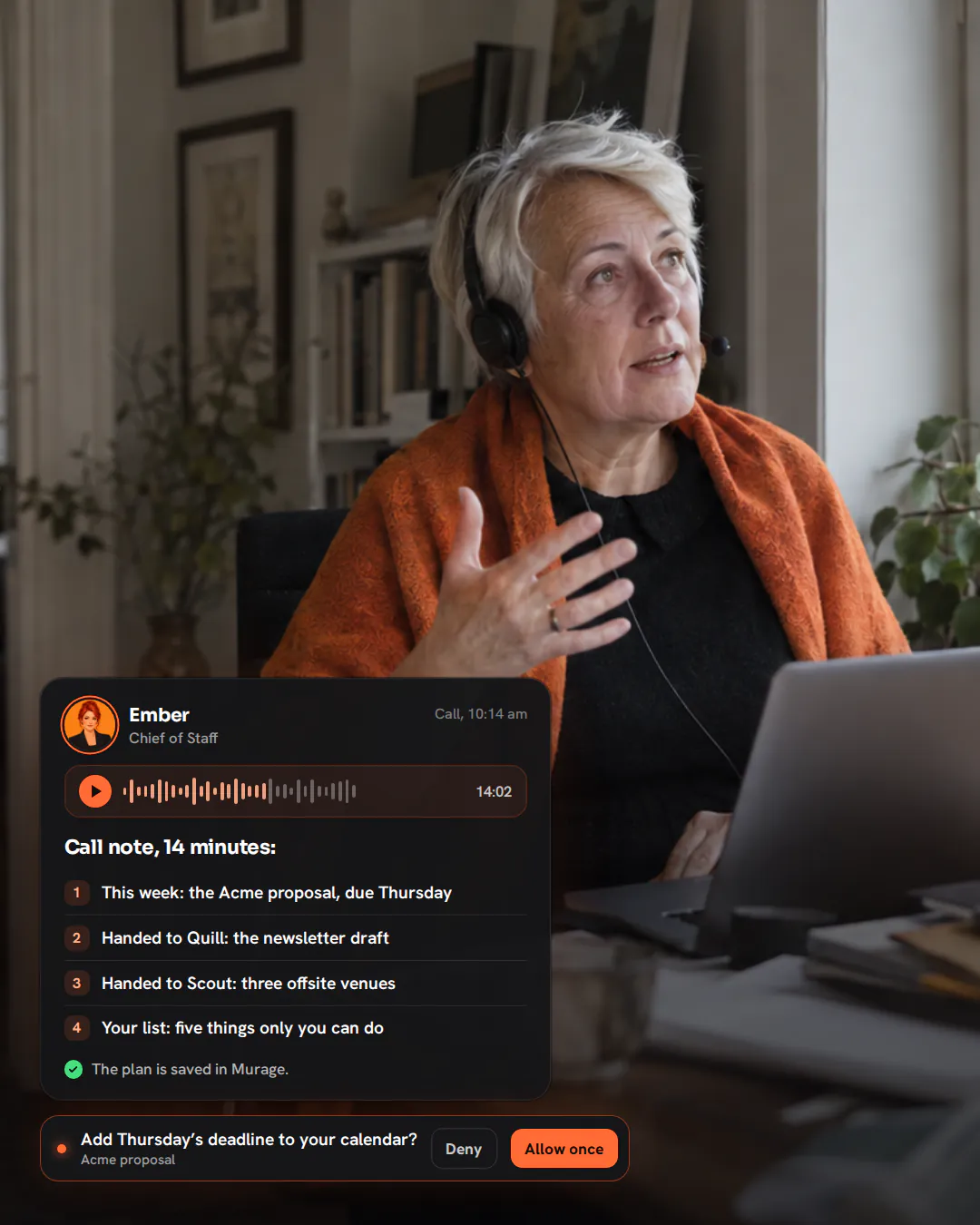
Call any bot
In the desktop app on Mac, Windows and Ubuntu. It answers from the first sentence, looks things up while you speak, and you can approve out loud. 41 voices, with Flux Router credits or your own keys.
Voice callsTelegram, Slack or Discord
Message your Chief of Staff and it replies there. Send a voice message and it replies with one. In Telegram, approvals come to you with a tap.
Phone and chat appsYour phone’s browser
Open Murage on your phone to read briefs and conversations and approve requests, on your Wi-Fi or anywhere over your own Tailscale network. An app for iPhone and Android is coming.
iPhone and Android appComing
Your computer stays on with Murage open and does the work. Running with it off will come with Murage Cloud, which isn’t open yet.
68 teams ready to import.
Sales, marketing, content, support, research, operations. Look inside any team before you import it.
EmberChief of Staff
Customer DeskLed by Mend
 MendSupport
 RioSales
Founder SetupLed by Patch
 PatchOps
 MiraBrand
 CoinNumbers
 SentryCounsel
GrowthLed by Beacon
 BeaconChannels
 ScoutResearch
 QuillCopy
 LensAnalyst
 VerdictQuality Gate
An example team. Faces made with Murage’s own avatar generator; they’re bots, not customers.
Give your first job to Murage.
Download the free app, connect the AI you already pay for, and tell your Chief of Staff what needs doing. Plan on about ten minutes from install to a working team.
No account needed · Runs on the AI plan you already pay for