Make sense of these notes
Paste meeting scrawl, a wall of messages or half a plan, and get back what matters and the next steps in order. No connections needed.
Most of us have notes we never go back to: a page from a meeting, a long message thread, a list started on the train. In this tutorial your Chief of Staff reads them and hands back the next steps, in the order to take them. It needs nothing but a working engine.
Before you start
- A working engine. See Connect an AI engine.
- Some notes. Rough is fine.
1. Choose the job
The first time you open Murage, the welcome offers five starter jobs. Choose Make sense of these notes. It's tagged ready now as soon as you have a working engine, because it needs no apps.
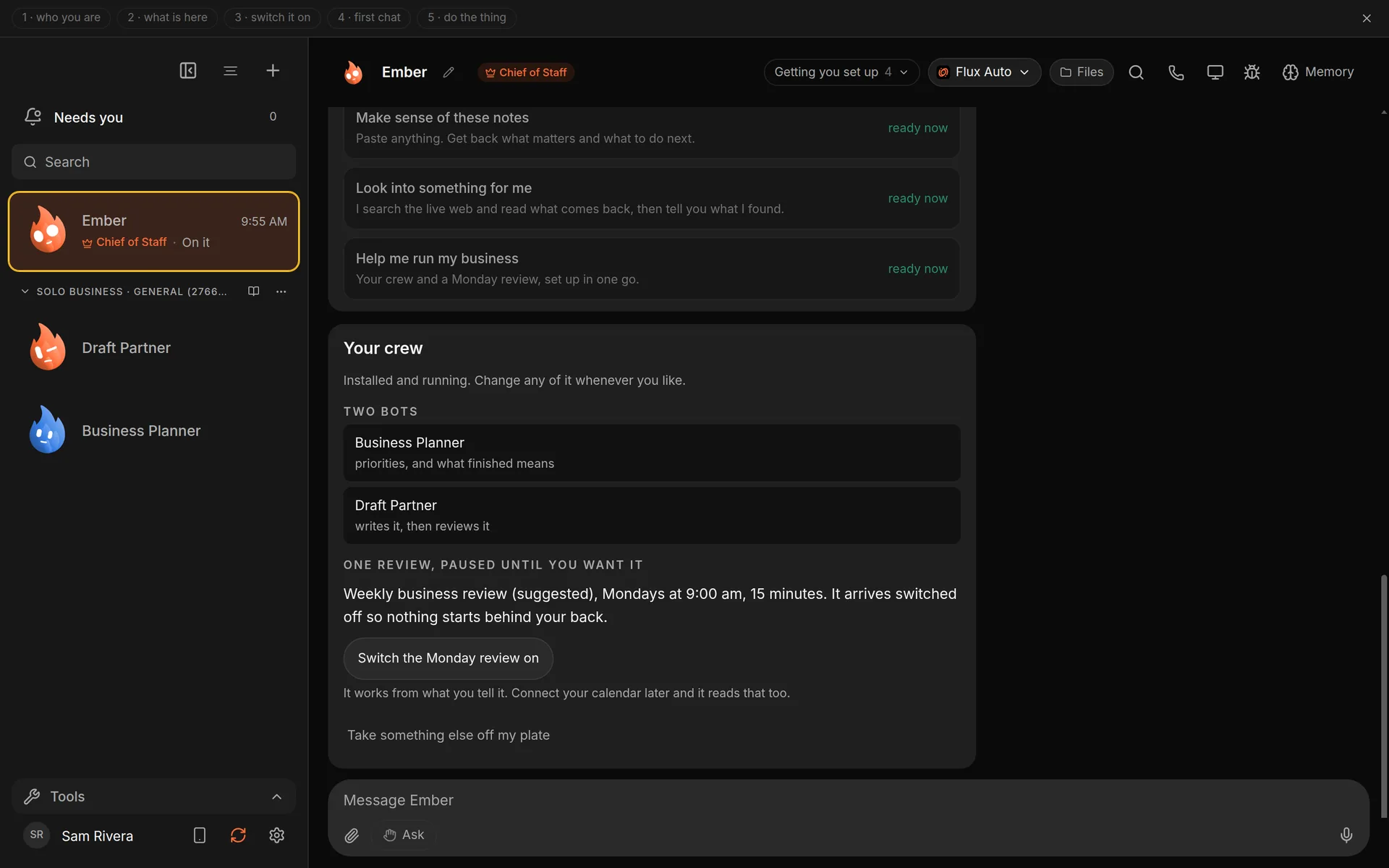
The starter jobs in the welcome. Demo workspace. Your Chief of Staff starts as Ember; you can rename it.
Already past the welcome? Skip to step 2 and paste the notes into a chat with your Chief of Staff instead.
2. Paste the notes
Murage asks you to Paste the notes. Anything works: meeting scrawl, a copied message thread, half a plan. For example:
call w/ Priya - she wants the revised quote by Thu
invoice #212 still unpaid, 3rd reminder??
book van for the 14th
Sam asked about holiday cover, reply this week
new supplier price list - check vs current
Choose Go on then.
If you're using a chat instead of the welcome, add one line after the notes:
Make sense of these. What matters, and what should I do next, in order?
3. Read what comes back
The welcome shows What is in there, then Next steps, in the order I would take them. Each step carries a tag so you can see why it's where it is:
- has a date: something with a deadline.
- owed: someone is waiting on you.
- timed: tied to a time.
- open: still to decide.
Steps with a date and people waiting come first. Your Chief only works from what you pasted, and it says so. If nothing in the notes can be turned into a step, it tells you and asks for a line with a person or a date in it.
4. Take it further
Ask follow-ups in the same chat:
Draft the reply to Sam about holiday cover.
Turn the first three into a checklist I can tick off today.
Drafts stay in the chat for you to copy, change or throw away.
Good to know
- This job runs on the engine you already have. A bigger model gives a sharper list.
- Your notes stay in Murage on your computer. The text goes to your engine for that turn, the same as any message. See Privacy and usage analytics.
- For a bigger pile, such as a folder of notes, ask your Chief to put a small team on it. See Import a ready-made team in 2 minutes.
What you get
A short, ordered list of what to do next, built only from your own notes.