Your first 10 minutes
The welcome with Ember, your Chief of Staff: who you are, what is on this computer, and your first job.
The first time you open Murage, you land in a chat with Ember, your Chief of Staff. Ember walks you through five short steps, shown along the top of the window: who you are, what is here, switch it on, first chat, and do the thing.
You can skip any step and come back to it later. Type /setup in any message box to pick up where you left off.
1. Who you are
Ember asks for your name and email. Your name is what your bots call you. Your email is how Murage tells you when there is something new it can do. Choose Continue, or Skip for now.
While you type, Ember has a look around your computer to see which AI tools are already installed.
2. What is here
Ember lists the AI engines it found, such as Claude Code, Codex, Grok Build or Kimi. Engines you are already signed in to are connected straight away and still work exactly as they did on their own.
If an engine is installed but nobody is signed in, choose Help me sign in. Ember shows the one command to run in a terminal, with a Copy button. Run it, then choose I have done it.
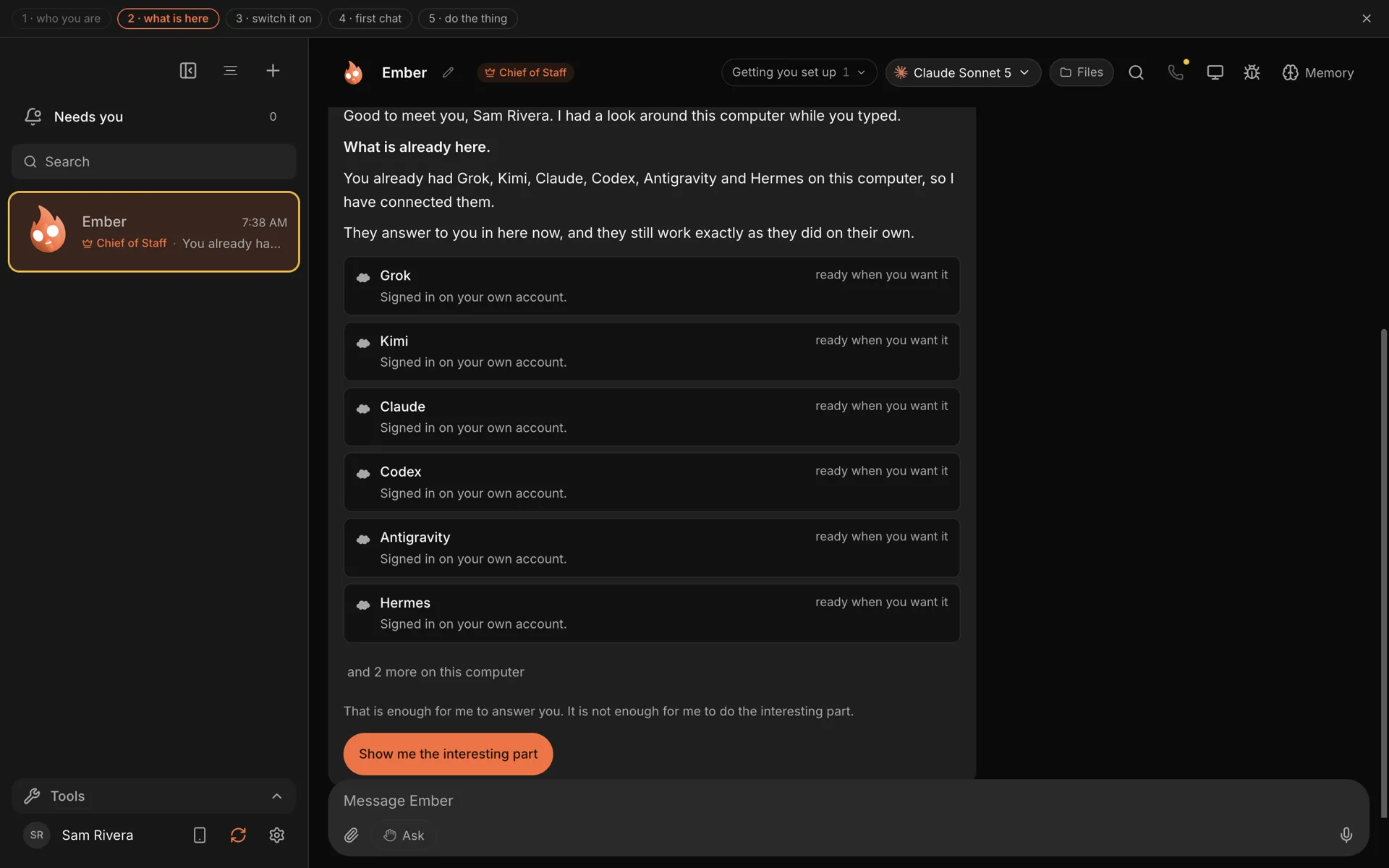
Ember lists the engines already on this computer.
Choose Show me the interesting part to carry on.
3. Switch it on
Next, Ember offers Flux Router: one optional key that adds 70+ models, live web search, voice, pictures and 1,500+ connected apps. Paste your key and choose Connect Flux Router, choose I need a key to open the sign-up page, or skip it for now.
If nothing on your computer can think yet, this is the step that gives your bots a brain. You can also add any model key or a local model later under Settings → Models. See Turn on Flux Router and Connect an AI engine.
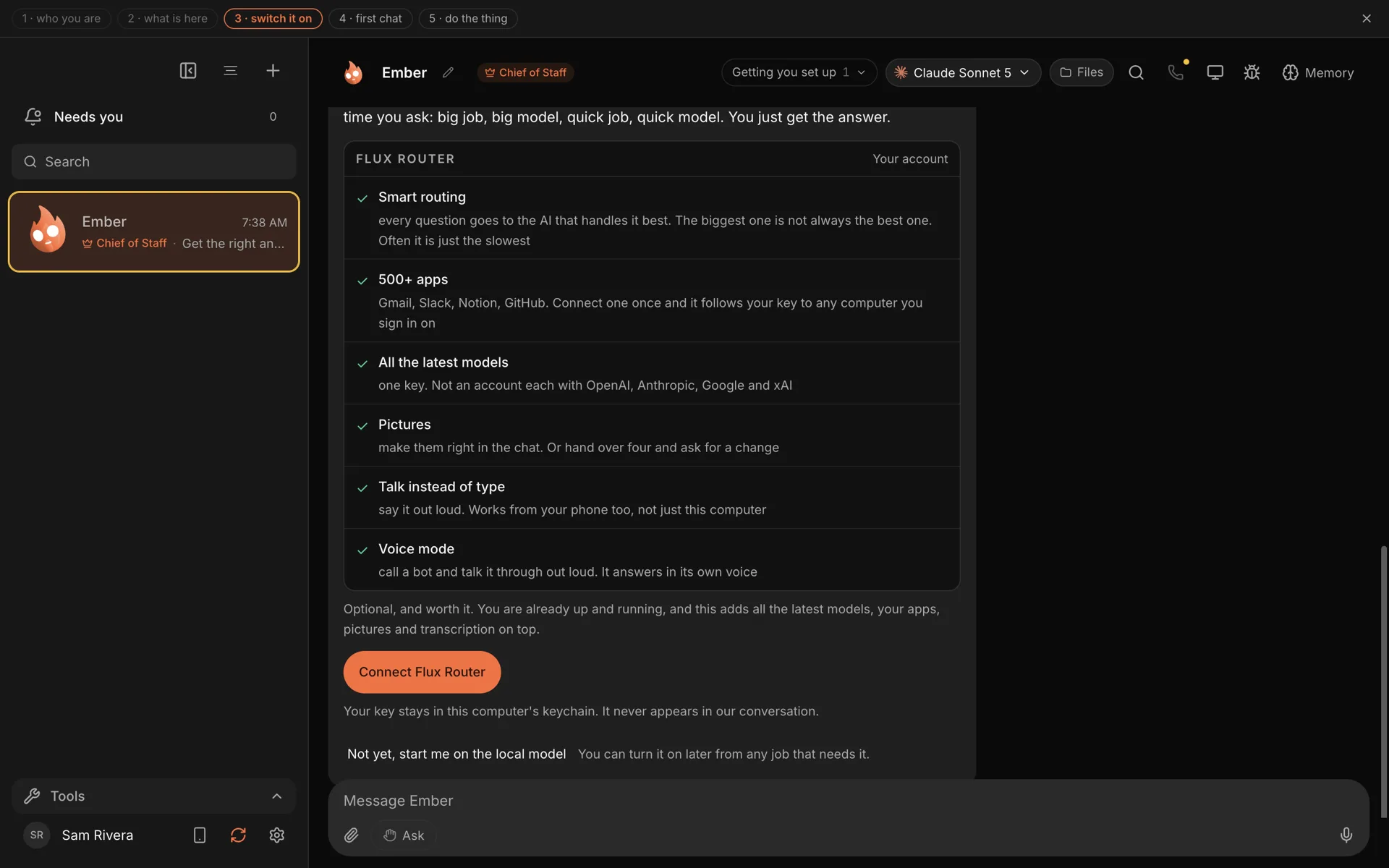
The Flux Router step. Your key is stored on this computer and never appears in the chat.
4. First chat
Ember asks what it can take off your plate and offers five jobs:
- Brief me every morning: what is fixed, what is owed, what will slip.
- Organise my day: today's commitments, in a sensible order.
- Make sense of these notes: paste anything and get back what matters and what to do next.
- Look into something for me: Ember searches the web, reads what comes back, and tells you what it found.
- Help me run my business: a small crew of bots and a Monday review, set up in one go.
Each job shows what it needs, for example "ready now", "needs Flux Router" or an app to connect such as Gmail or Google Calendar. Or ignore the list and just tell Ember what you need.
5. Do the thing
Pick a job and Ember does it right away. It only asks for what that job needs, when it needs it, and you can stop after any step.
If you picked the morning brief, Ember offers to have one waiting for you every weekday. It is built at the time you choose and waits in Murage when you open your computer. It never goes to your email. Ember may then suggest two more routines, such as triaging your inbox.
Anything that runs on a schedule arrives switched off or asks you to confirm first, so nothing starts behind your back.
What you have now
- Ember, your Chief of Staff, with at least one engine to think with.
- Your first finished job, and maybe a routine.
- A starting point for everything else. Try a tutorial next, or read how your Chief of Staff works.