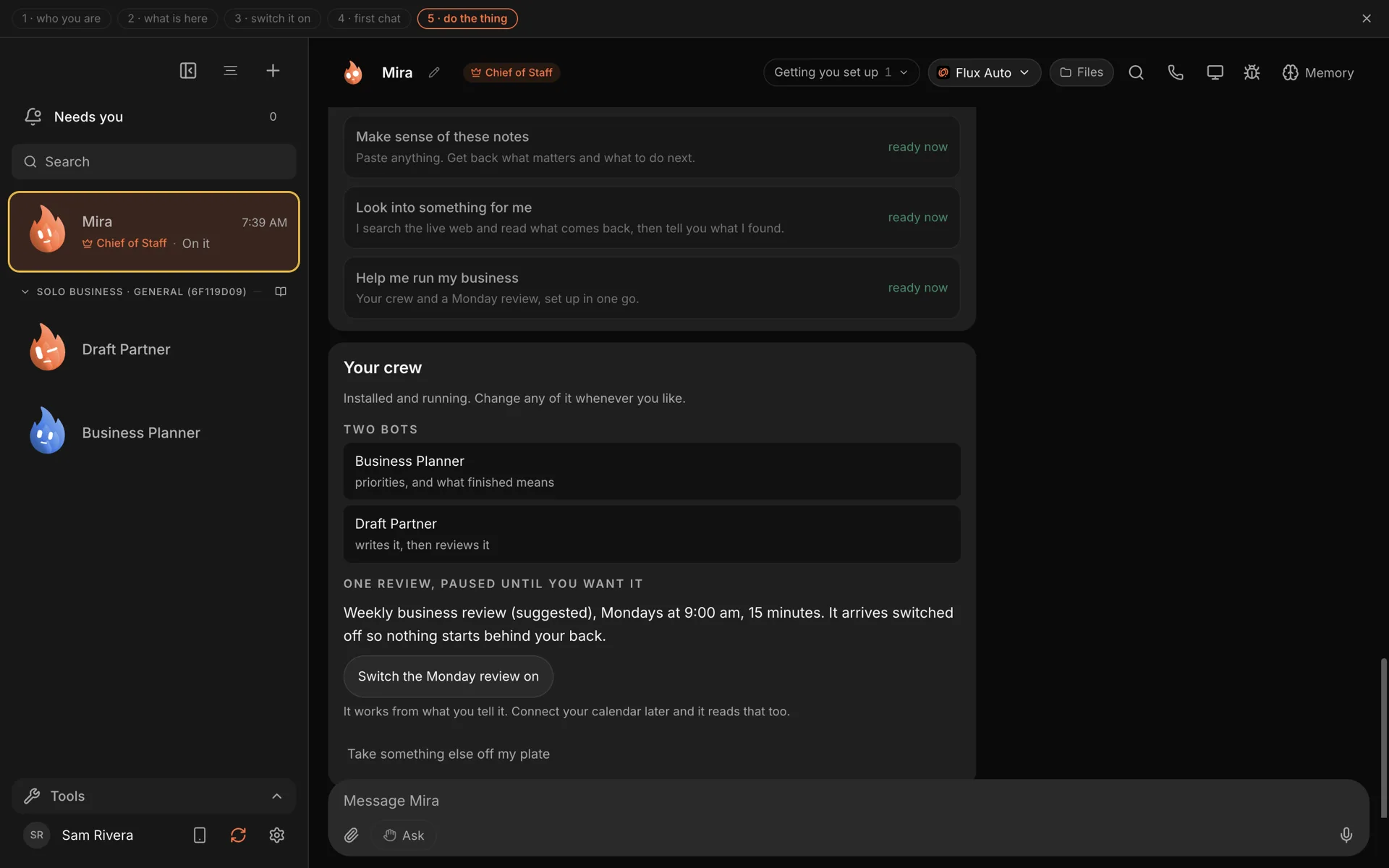
The hardest part of delegating to AI is the first week. You install something, stare at an empty chat box, and wonder what to hand over that is worth the effort and low-risk to try.
This post is a shortlist. Seven jobs a small business can give an AI Chief of Staff this week, with the words to use. None of them needs a connected app. You do not have to hook up your email, your calendar or your CRM. You need Murage and an engine, such as the Claude or ChatGPT plan you already pay for.
What a Chief of Staff does that a chatbot doesn’t
A chatbot answers the question you typed. A chief of staff takes a messy request, works out who should handle each part, and comes back with one answer.
In Murage, you talk to one bot, your Chief. For a small job it does the work itself. For a bigger one it proposes a small team of specialist bots, waits for your go, briefs them and brings the results back into one thread. It remembers your business between conversations, and that memory lives on your computer where you can read and correct it.
For a business with staff, each person can run their own Chief on their own computer, with the same team you built once and shared as a file.
1. Turn meeting notes into next steps
Every business has a pile of notes nobody goes back to. Paste them in.
Here are my notes from this week. What matters, and what should I
do next, in order? Flag anything someone is waiting on.
You get a short list of next steps, ordered by what has a date on it and who is waiting. It is also one of the starter jobs in the Murage welcome, called Make sense of these notes. The tutorial walks through it.
2. A one-page answer to a business question
Should you raise prices? Is a new market worth a test? Which of two suppliers is safer?
Should we start offering a monthly retainer? Look at how firms like
ours price retainers. One page: a recommendation, three reasons,
a source for each, and what you couldn't confirm.
Bots can search the web out of the box through a free search service. Ask for sources and for gaps, and you get an answer you can check. See research.
3. A Monday review of the business
Tell your Chief the numbers and the worries, once a week.
Every Monday at 9, ask me for last week's sales, cash in the bank
and anything that went wrong. Then give me one page: what changed,
what needs a decision, and the one thing to do first.
The Chief proposes a routine, and nothing is scheduled until you choose Confirm. It runs while your computer is on and Murage is open, and it works from what you tell it. See weekly report.
4. A proposal or quote from your rough notes
Draft a proposal for a kitchen refit for the Hendersons. My notes
are below. Keep my pricing exactly as written. Mark anything you had
to assume, and don't invent testimonials.
You get a clean draft to edit. The bot doesn't send anything, because there is nowhere for it to send. See proposals.
5. Write down how you do things
The knowledge that walks out the door when someone leaves is usually the stuff nobody wrote down.
I'm going to describe how we onboard a new client. Turn it into a
step-by-step checklist a new hire could follow, and list the
questions I didn't answer.
Save the result as a file, share it with your staff, and turn it into a skill later so your bots follow it too. See SOP writer.
6. Read the fine print
Paste a contract, a supplier agreement or the terms of a new tool.
Read this agreement and tell me, in plain words: what I'm committing
to, what it costs me if I leave, and anything unusual. List the
clauses I should ask a lawyer about.
This is a first read so you ask better questions. It is not legal advice, and a good Chief says so. The library has a ready-made Fine-Print Guard team for this. See contract review.
7. Keep an eye on your competitors
Every weekday at 8, check what Acme, Brightline and Northwind have
published or changed on their websites and pricing pages. Tell me
only what's new, with links.
That is a daily routine that checks the web and tells you what changed. The report waits for you in Murage. See competitor watch.
How to start without risk
A few habits make the first week go well.
- Say what done looks like. "One page", "a list of five", "a draft I can edit".
- Say what not to do. "Send nothing", "don't contact anyone".
- Ask for the plan first on anything big: "show me who you'd put on it before anyone starts."
- Leave approvals on Ask. New bots start there, and they check with you before they act. When you give a bot Full access later, it stops before messaging anyone new, posting publicly, paying, or deleting outside its folder, unless you have allowed it for that task. On Hermes and other ACP engines, Ask and the stop line cover only what the engine asks Murage about: shell commands and file edits. See approvals and the stop line.
Want a head start?
If you would rather not build from scratch, the team library has 68 ready-made teams, and 62 of them need no connected apps. The Solo Business and Business Owner's Team starters set up a planner, a drafter and a weekly review in one go. You can import one in about two minutes: see Import a ready-made team.
What it costs
The Murage app is free and open source, with no seat limit. Each bot runs on an engine you choose: a Claude Code or Codex sign-in you already pay for, a provider key, a local model, or Flux Router. If Claude Code or Codex isn't installed yet, Murage opens a one-line install for you to paste. None of the seven jobs above needs anything more.
Download Murage, pick one job from this list, and hand it over today. More ideas for your kind of business are on the small business page.