Most advice about AI agents for small business starts with plumbing. Connect your email. Connect your CRM. Connect your calendar, your accounting, your helpdesk. By the time everything is wired up, the week is gone and nothing useful has happened.
You can skip most of that. A lot of valuable work needs no integration at all. It needs the facts you already have, some structure, and a few specialists who each know their part.
That is what this starter kit is built from. Murage ships with a library of 68 ready-made teams. We counted: 62 of them declare no apps. They work from what you tell them and what they can find on the web.
What "no integrations" means in practice
A team with no connected apps can:
- Read anything you paste or drop into the chat: notes, exports, a contract, last month's numbers.
- Search the web and read what comes back, through a free search service that needs no key.
- Draft, check, plan, compare and recommend.
- Save its work as files you can open, edit and share.
What it cannot do is reach into your inbox or post anywhere. For a first week, that is a feature. Nothing leaves without you, because there is nowhere for it to go.
The starter kit
Eight teams from the library, grouped by the job a small business usually needs first. Each one has a page with its bots and what it produces.
Get organized
- Solo Business and Business Owner's Team. The starters. A planner and a drafter, or a coordinator, a drafter and a reviewer, plus a weekly review routine that arrives switched off.
- Back-Office Crew. Paste the day's mess, such as a late order, a stock problem and a customer asking for an update. You get a prioritized action list and a draft reply.
Win and keep customers
- First Customers. Sharpens who you sell to, prepares outreach and sales copy, and picks practical channels for the first conversations.
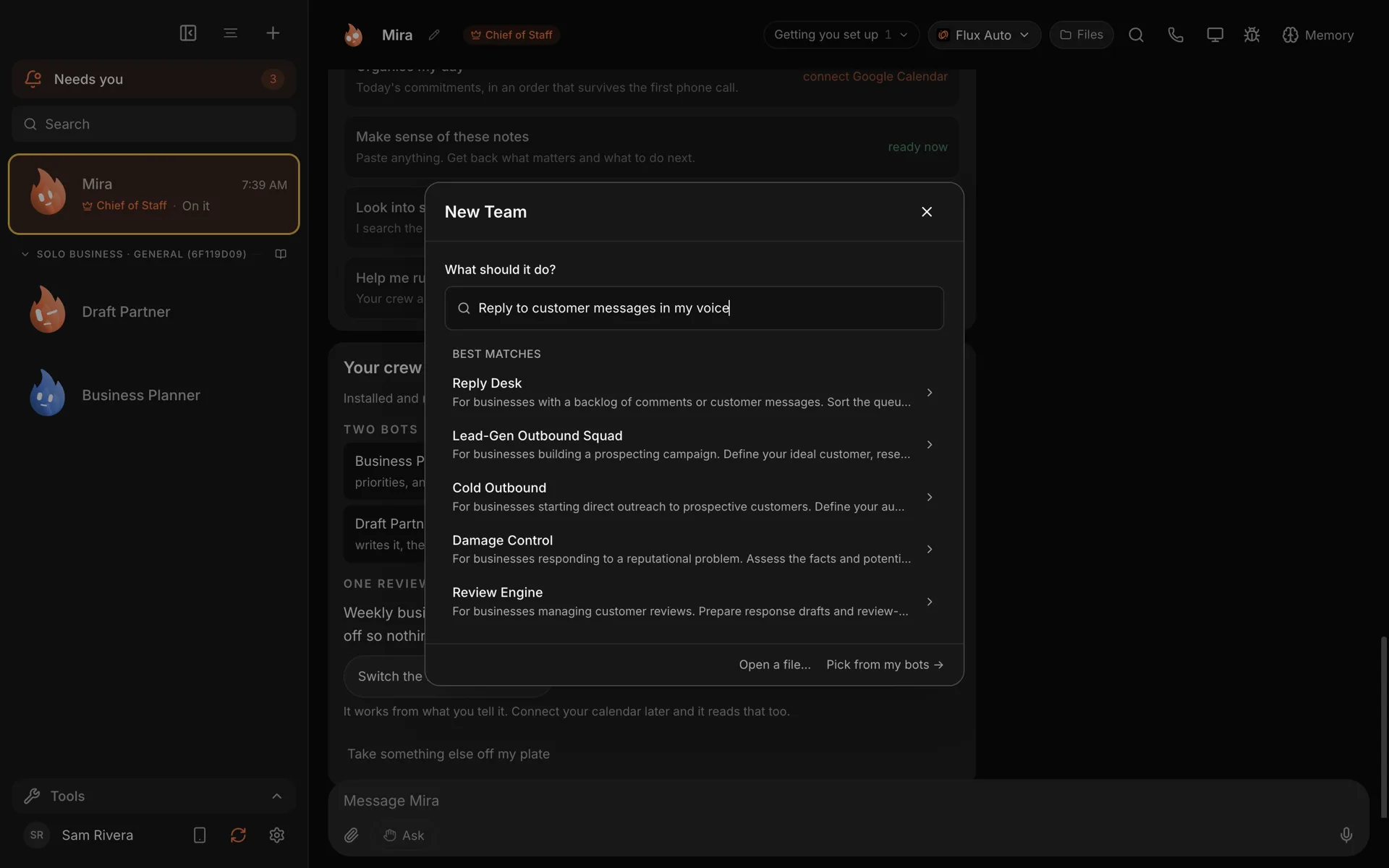
- Reply Desk. Paste in the questions you keep getting and it prepares replies in your voice, and spots the ones that are really sales conversations. Connect email later and the same team drafts straight from your inbox.
- Local SEO & Reviews Desk. For businesses with a local area. Improvements for your Google profile, local service-page copy, and a way to ask for and answer reviews.
Make better decisions
- Pricing Tribunal. Four specialists argue about discount pressure, churn risk and perceived value, then hand you a revised offer with the trade-offs spelled out.
- Fine-Print Guard. A clause-by-clause risk map of a contract, with suggested changes to take to a professional. It is a first read, not legal advice.
The rest of the library covers content, launches, ecommerce, fundraising, support and more. Browse it on the team library page.
Up and running in about two minutes
Most teams in the library say they take two or three minutes to set up. That matches what we see.
- In Murage, choose + in the sidebar, then New Team.
- Under What should it do?, describe the job, such as "sort out my pricing".
- Pick one of the Best matches and read the preview: the bots, how many skills it comes with, any routines, and any apps it needs.
- Choose Create.
The team appears in your sidebar with its instructions and skills in place. Give it a first job with the facts in the message. The step-by-step tutorial has screenshots.
Why a team and not one chat
You could paste the same contract into a chat window and ask for a summary. The difference is structure.
Each bot in a team sticks to one part of the job. On Fine-Print Guard, one looks at legal risk, one at the money, one at how the terms affect your sales, and one writes it up clearly. Your Chief of Staff hands the job to the team and brings one answer back to you. You read one report instead of four transcripts.
And the team stays. It remembers your business next week, it can run on a schedule, and you can hand it to your staff.
When you are ready for integrations
Six teams in the library list apps: Gmail, HubSpot, Reddit, GitHub, Google Sheets or Slack, some of them optional. When a job needs your real inbox or your pipeline, connect the app once, through a Flux Router account or your own connected-apps key. You sign in to each app yourself, on its own screen.
Even then, you stay in charge. New bots start on Ask, so they check with you before they act. On Full access, a bot stops before messaging anyone new, posting publicly, paying, or deleting outside its folder, unless you have allowed it for that task. On Hermes and other ACP engines, Ask and the stop line cover only what the engine asks Murage about: shell commands and file edits. See approvals and the stop line.
One team, your whole staff
Built a team that works? Export it as a file from the + menu. Everyone on your staff imports the same file on their own computer and gets the same bots, skills and routines. Logins never travel with it. The guide is share a team with your staff.
What it costs
The Murage app is free, and so is the team library. Each bot runs on an engine you choose, such as the Claude or ChatGPT plan you already pay for through Claude Code or Codex, a provider key, or a local model. If Claude Code or Codex isn't installed yet, Murage opens a one-line install for you, then you sign in on their own screen.
Download Murage, open New Team, and pick one team from this list. You will know within an afternoon whether it earns its place. For more on where to start, see Murage for small business.