"Multi-agent AI" sounds like something from a research paper. The idea behind it is one every business owner already knows: you get better results from a small team of specialists with a good manager than from one person trying to do everything at once.
This post explains the idea without the jargon, shows what it looks like in practice, and is honest about when one chat is still enough.
First, what is an AI agent?
A chatbot answers. An agent does.
When you type into a chatbot, it writes a reply and waits. An AI agent can take steps: search the web, read a file, write a document, use an app, check its own work, and carry on until the job is done or it needs to ask you something.
Claude Code, Codex and Hermes are well-known agents. In Murage, each bot runs on an agent engine like these, or on a model you choose.
So what is multi-agent?
Multi-agent means several agents working on one job, each with its own part.
Picture a question like "should we start selling to dental practices?". A single agent would try to do it all in one long conversation: size the market, find competitors, check prices, think about risks, write it up. Somewhere in the middle it loses track, repeats itself or quietly skips a part.
A multi-agent team splits it:
- A researcher sizes the market.
- A competitor analyst maps who is already there.
- A pricing specialist finds what they charge.
- A lead combines the parts into one page with a recommendation.
Each specialist has one clear job and its own instructions, so it stays focused. The lead makes sure the pieces fit.
The three roles that matter
Specialists do the work. Each one has a role, instructions for that role and, in Murage, skills: written know-how for the kind of work it does.
A lead coordinates a team. It hands out the parts, answers the specialists' questions and pulls the results together. In Murage this is the team lead.
A manager above the teams talks to you. In Murage that is your Chief of Staff. You tell it the outcome you want. It decides which team should handle it, or proposes a new one and waits for your go.
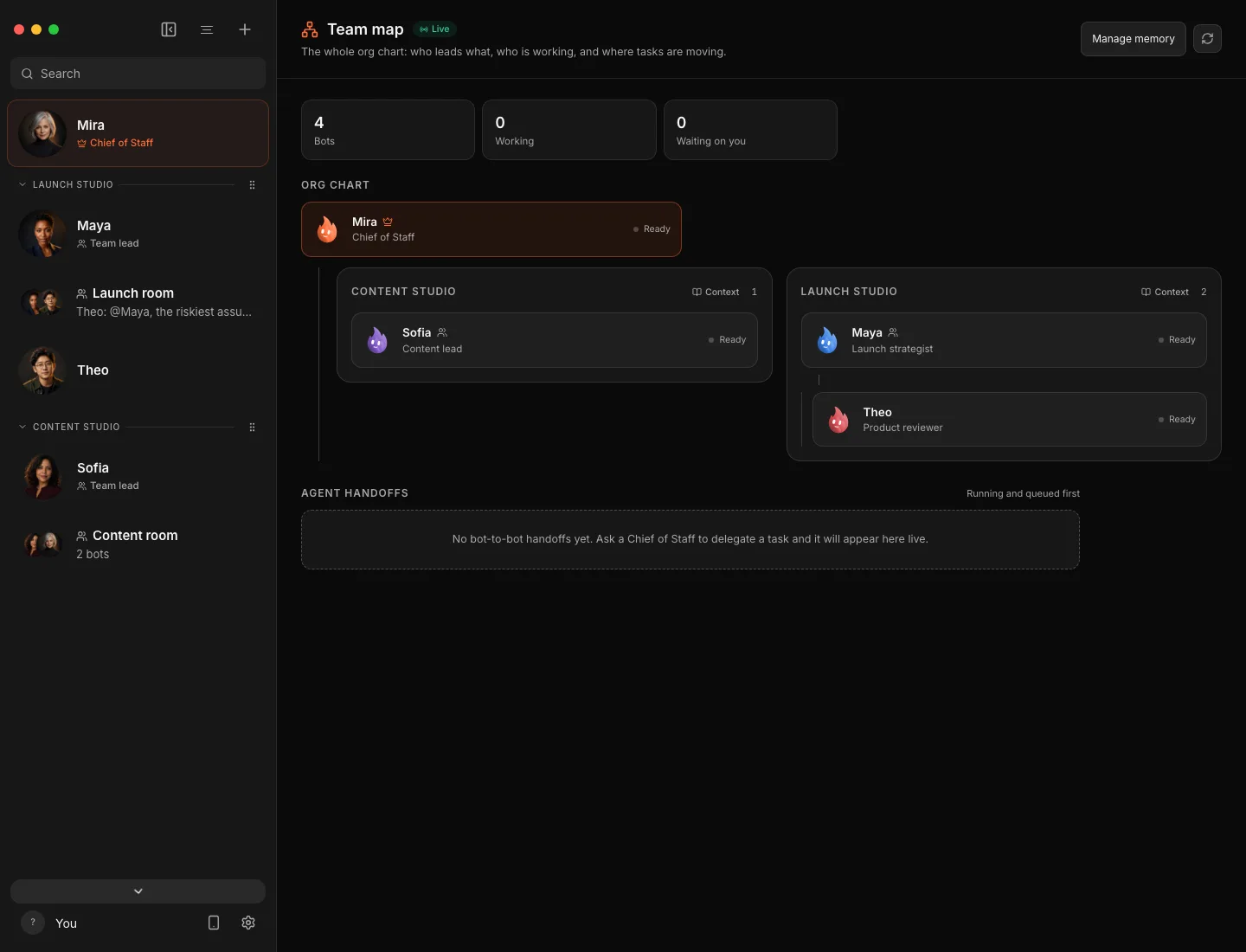
You can see the whole structure on the Team map: your Chief at the top, team leads under it, and specialists under them.
Why it works better
Focus. A bot with one job and short instructions makes fewer mistakes than one juggling five.
Parallel work. Specialists work at the same time. The research doesn't wait for the pricing.
A second opinion, if you want one. You can put a reviewer on any team, so one bot checks another's work before it reaches you. It is optional.
Different brains for different jobs. In Murage each bot has its own engine. The writer can run on the model with the best tone, the coder on Codex or Claude Code, and the sorter on a free local model.
One answer back. You read one report instead of four transcripts. The detail is still there if you want it.
How the bots talk to each other
Bots hand work to each other and ask each other questions. In Murage these handoffs show up live on the team map, so you can see who is working on what. If you would rather approve any contact between bots, switch on Ask me before contacting other bots in a bot's settings.
Teams can also share memory. What a team or project knows is available to every bot on it, and the team instructions you write are read by every member first. See memory.
Where it goes wrong, and how to keep it right
Multi-agent systems have their own failure modes. Being honest about them helps you use them well.
- Bigger isn't better. More bots means more coordination and more cost. Start with two or three. Murage works with one bot or dozens, but most jobs need a handful.
- Garbage in, garbage out, times four. A vague request confuses the whole team. Say what done looks like: "one page, with sources".
- Loops. Agents can get stuck repeating a step. Murage notices a bot making the same call again and again and tells you, so you can stop the turn.
- Confident mistakes. A team can agree on something wrong. Ask for sources, and ask what it couldn't confirm.
- Actions in the world. More bots means more chances to do something you didn't want. New bots start on Ask. On Full access, a bot stops before messaging anyone new, posting publicly, paying, or deleting outside its folder, unless you have allowed it for that task. On Hermes and other ACP engines, Ask and the stop line cover only what the engine asks Murage about: shell commands and file edits. See approvals and the stop line.
When one chat is enough
Not everything needs a team. A quick question, a short email or a single edit is faster in one conversation. Murage's Chief does small jobs itself and only proposes a team when the job has real parts.
A good rule: if you would hand the job to one person at work, one bot is fine. If you would call a short meeting to split it up, use a team.
Try a team without building one
The team library has 68 ready-made teams, each with its specialists, instructions and skills set up. 62 of them need no connected apps. Import one in about two minutes with this tutorial, give it a real question, and watch the work split up on the team map.
For a business with staff, build the team once and share it as a file. Everyone imports the same specialists on their own computer.
Download Murage and ask your Chief something that needs more than one pair of hands. There is more on the structure in teams and bot handoffs.