Most people who run a business, whether it is just them or a staff of twenty, have the same problem. There is more to do than there are hours, and the work that falls through the cracks is the work nobody is paid to do: the follow-up email, the competitor check, the Monday numbers, the reply you meant to send on Thursday.
AI tools help with some of it. But most of them hand you a chat box and wait. You still have to know what to ask, break the job into prompts, paste in the context every time, and remember to come back tomorrow and do it again. That is a second job on top of the first one.
Murage is our attempt to fix that. It is a free, open-source desktop app for Mac, Windows and Ubuntu, made by Ferrox Labs, and it works a bit like a small team you brief each morning. That holds whether you are a founder working alone or a business owner who wants the same help for everyone on the payroll.
You talk to one bot
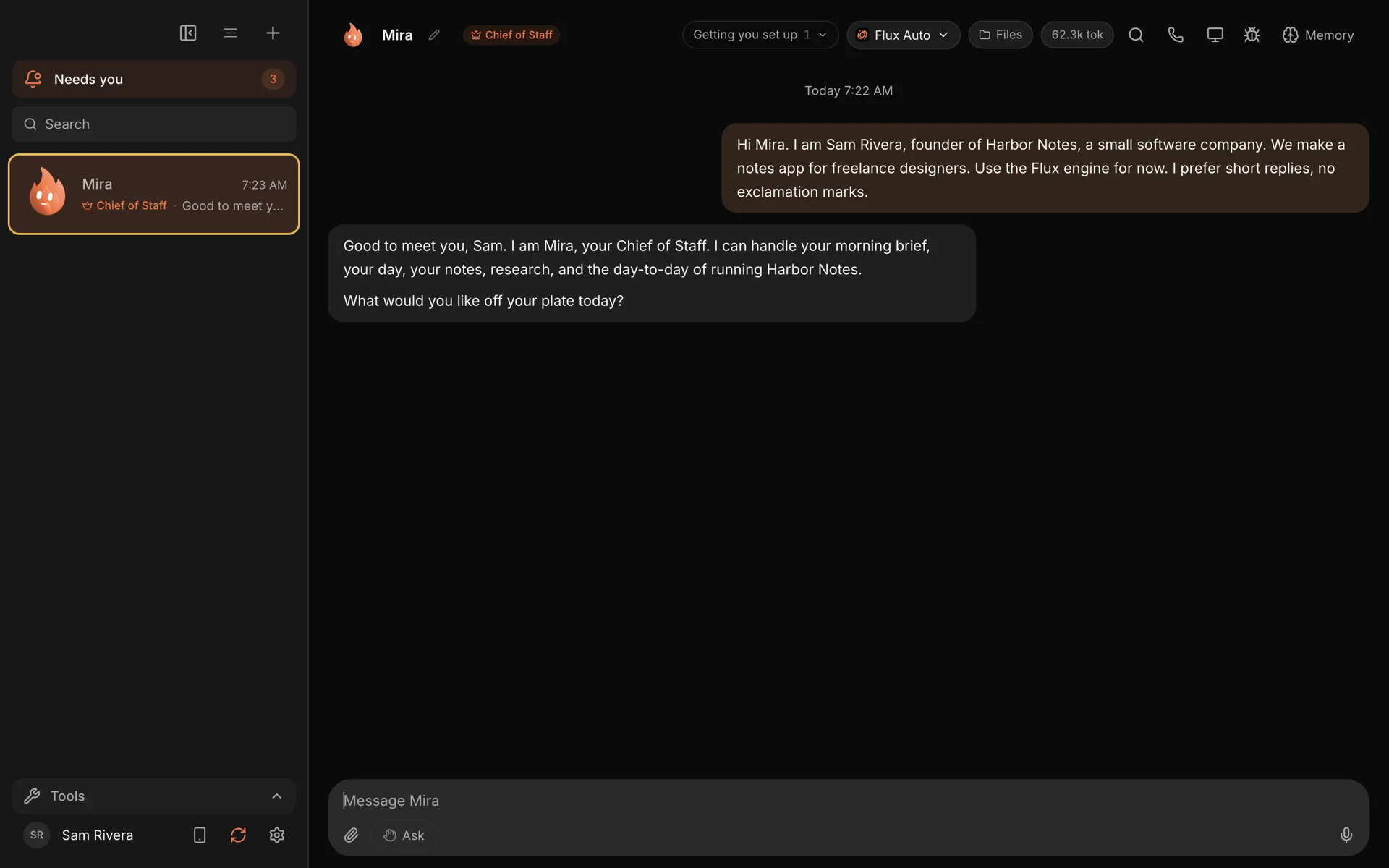
When you open Murage for the first time, you meet your Chief of Staff. By default it is called Ember, and you can rename it. This is the only bot you have to talk to.
You tell it what you want off your plate, in the words you would use with a person. "Every weekday at 9, check our three biggest competitors' pricing pages, changelogs and job posts, and tell me what changed." "Go through my notes from this week and tell me what I promised people." "Find out whether we should sell to dental practices."
The Chief of Staff works out what the job needs. For small things it just does them. For bigger things it builds specialist bots, gives each one its part of the work, and brings the results back into one thread for you to read. You read what came back instead of writing prompts. We wrote more about that in what an AI Chief of Staff actually does.
It starts with a job
The first run is a guided welcome. Your Chief of Staff asks who you are, checks which AI tools you already have, and then offers five starter jobs:
- Brief me every morning
- Organise my day
- Make sense of these notes
- Look into something for me
- Help me run my business
Some of those need nothing at all. Others, like the morning brief, work better once your calendar and email are connected, and the welcome tells you which is which before you start.
If you would rather start from something ready-made, there is a team library of 68 prebuilt teams covering sales, support, research, content, operations and more. Describe the job in a sentence and the matching teams come up, with a preview of the bots, skills and routines in each one.
It runs on your computer
Murage is a desktop app, and your team's memory and files are stored on your machine. Your bots, their memory, your conversations and your files are stored in Murage's own folder on your computer. We don't keep a copy.
The AI still has to think somewhere. Each bot uses an engine you choose: a Claude Code or Codex sign-in you already pay for (if the engine isn't installed yet, Murage opens a one-line install for you to paste), an API key from a provider, a local model through Ollama or LM Studio, or a Flux Router account. What a bot sends to that engine, or to an app or service you connect, goes to them and is handled under their terms. What your team remembers is stored with you. There is more on this in why Murage runs on your computer.
The flip side is honest and worth saying early: because Murage runs on your computer, it works while your computer is on and Murage is open. A routine set for 7am runs when Murage is next open, as long as that is within 12 hours. A hosted version, Murage Cloud, is planned for people who need their team working with their computer off. It isn't open yet.
Bots ask before they act
A team you cannot trust is not much use. New bots start on Ask, so every action a bot tells Murage about waits for your yes, and you approve or deny each request. On Full access, a bot stops before messaging anyone new, posting publicly, paying, or deleting outside its folder, unless you have allowed it for that task. On Hermes and other ACP engines, Ask and the stop line cover only what the engine asks Murage about: shell commands and file edits. Replies in an existing conversation go ahead on Auto and Full access, and No limits turns the stop line off. When you trust a bot with a particular kind of job, you can give it more room, one bot at a time, and take it back later.
Anything that needs you ends up in one inbox, so you are not hunting through a dozen chats to find the one question that is holding things up.
It works for a business with staff, too
Murage runs on each person's own computer, so a business with staff uses it the way a business uses any desktop tool: everyone has their own copy. What makes that work as a team is sharing.
Build a team once, the way you want your business to run, and export it. Everyone on your staff imports the same file and gets the same bots, skills and routines. Logins never travel with it, so each person connects their own accounts, and every imported bot starts on Ask with nothing switched on. We walk through it in share a team with your staff.
Approvals stay personal. Each person approves what their own bots want to do, from their own inbox in Murage or their own Telegram. When the team needs to see a draft, a bot can post it to a team Slack channel through a connected app, after you approve it. Shared, always-on workspaces are planned for Murage Cloud, which is not open yet.
It meets you where you are
You do not have to sit at your desk to run your team. Pair Murage with your own Telegram bot and you can message your Chief of Staff from your phone and approve requests with a tap. You can also open the whole workspace in your phone's browser, on your home Wi-Fi or, when you are away, over your own Tailscale network.
What it costs
The app is free. There is no paid tier of the desktop app, no seat limit and no trial.
You bring the AI. If you already pay for Claude or ChatGPT and use Claude Code or Codex, Murage can use that sign-in. If you want one key that covers models, web search and connected apps like Gmail and Slack, Flux Router is an optional credit-billed account. Your own provider keys and a local model work too. We do not mark any of it up.
The edges, plainly
It is worth being clear about the edges, because nobody likes finding them the hard way.
- Your computer is the host. Murage runs while your computer is on and Murage is open. Murage Cloud isn't open yet.
- Bots draft, research and organize. You decide what goes out.
- New bots start on Ask. On Full access, a bot stops before messaging anyone new, posting publicly, paying, or deleting outside its folder, unless you have allowed it for that task. On Hermes and other ACP engines, Ask and the stop line cover only what the engine asks Murage about: shell commands and file edits.
- AI makes mistakes. Murage is built so you can check the work: drafts instead of sends, and a reviewer bot on any team you want one on.
Try it
Murage is free to download for macOS, Windows and Ubuntu. Give it ten minutes: tell your Chief of Staff one job you keep putting off, and see what comes back.
If you want to see how the pieces fit together first, the features overview is a good place to start, and the source code is public on GitHub for anyone who wants to read how it works.