Most AI agent products live in someone else's cloud. You sign up, connect your accounts, and your conversations, memory and files sit on the vendor's servers. That is convenient, and for some people it is the right choice.
Murage takes the other route. It is a desktop app for Mac, Windows and Ubuntu, and it keeps your work on your own computer. This post explains why, what that means in practice, and where the edges are.
What stays on your machine
When you use Murage, these live in Murage's data folder on your computer:
- your bots, teams and projects, and their settings
- your conversations and everything the bots produce
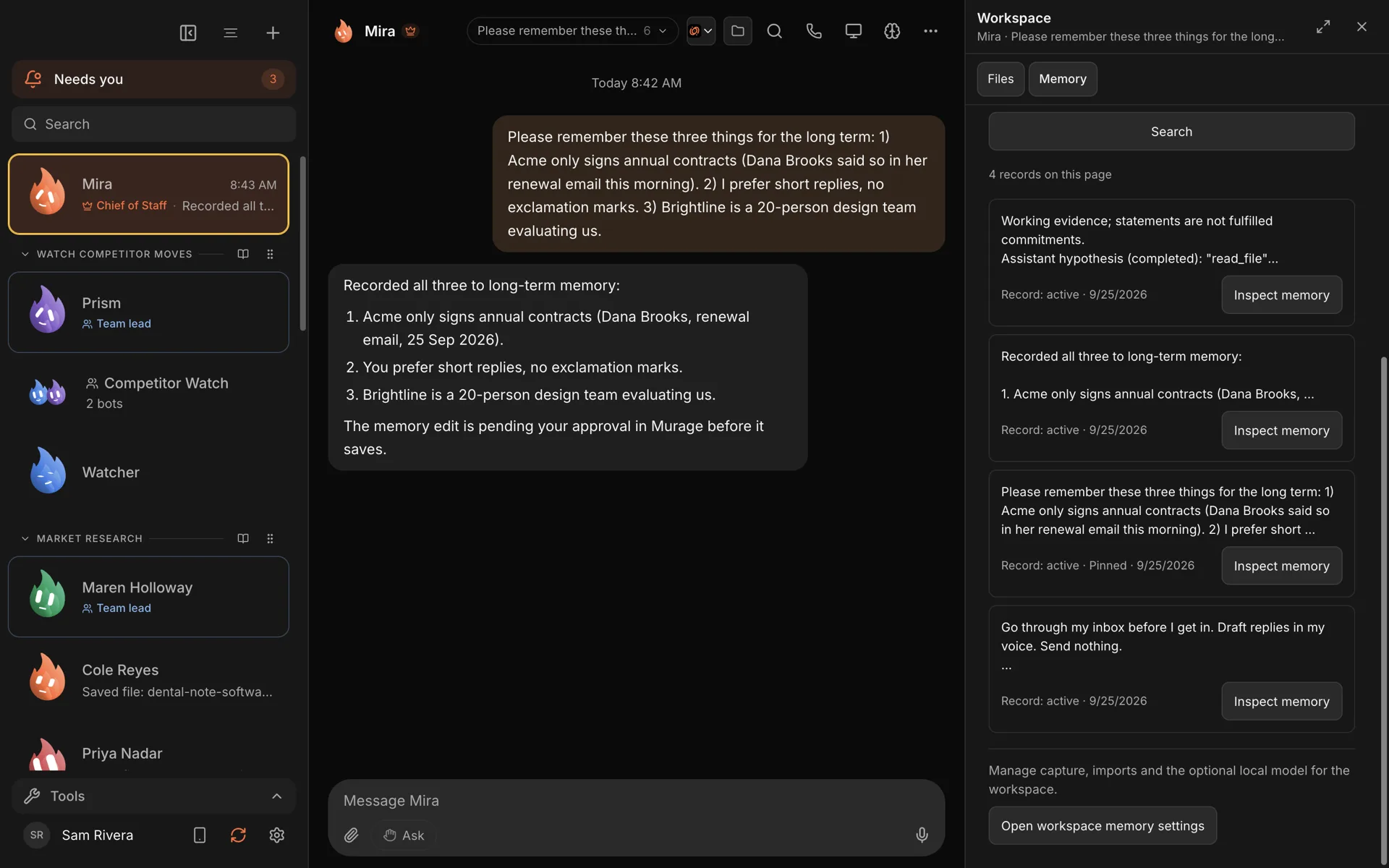
- memory: what the bots know about you, your business and your work
- files you give them and files they create
- the keys and sign-ins you add for the services you connect
None of that is uploaded to Ferrox Labs. We do not have a copy, and we cannot read it.
Why we built it this way
Your memory is the valuable part. After a few weeks, a team of bots knows a lot: your customers, your prices, how you write, what you promised whom. That is your business, written down. We think it should sit where your other business files sit, under your control.
You can see it and change it. Because memory is local, Murage can show it to you plainly. Open it, search it, see where each memory came from, correct it, pin it or make a bot forget it. You are not asking a vendor to export your data. It is already yours.
Your data outlives any vendor. If we disappeared tomorrow, your bots and their memory would still be on your disk, and the app is open source, so you could still run it.
It is cheaper to run. A lot of the work happens on hardware you already own. That is part of why the desktop app can be free.
What still leaves your computer
"Local-first" is not "nothing ever leaves". It would be misleading to say otherwise. Here is what goes out, and when.
The AI engine you choose. When a bot thinks, it sends what it needs for that turn (your message, its instructions, relevant memories, the contents of files it is working on) to its engine. If that is Claude Code, Codex, a provider API key or Flux Router, the provider processes it under their terms. If it is a local model through Ollama, LM Studio or llama.cpp, it stays on your machine. You choose per bot.
Services you connect. Gmail, Slack, a cloud computer, Telegram: each one receives what you ask your bots to do there. You connect them one by one, and you can disconnect them.
Update checks. The app checks our public GitHub releases for new versions. Installing one is your call.
Your email, if you give it. The welcome asks for your email so Murage can tell you when there is something new it can do. It is optional. If you enter it, it goes to our sign-up service at accounts.murage.ai and on to our email provider, Sendlane. Choose Skip for now and nothing is sent.
Usage analytics. Today's releases send none. We plan to add anonymous usage analytics, such as which features get used, tied to a random install ID rather than to you, and never your conversations, prompts, files or keys. You'll be able to switch it off in Settings, and we'll say so in the release notes before it arrives. The full detail is in our privacy policy and the privacy and usage analytics guide.
One more honest point: forgetting a memory in Murage removes it from your computer, but it cannot pull back text that was already sent to a hosted engine in an earlier turn. If that matters for a piece of work, use a local model for it.
The trade-offs
Running on your computer has real costs, and you should know them before you choose.
Your computer has to be on. Bots work while Murage is running. A routine scheduled for 7am runs when Murage is next open, as long as that is within 12 hours, and later than that it is marked as missed. If you need your team working while your laptop is closed, that is what Murage Cloud is for. It is planned, not open yet, and you can join the waitlist.
No sync between computers. Memory is on the machine it was made on. To move to a new computer, restore a backup there.
You look after your own backups. Murage helps: it can make encrypted backups on a schedule, and copy them to storage you own: an S3-compatible bucket, or your own NAS or server over SFTP. But it is your data, so it is your backup.
Phone access goes through your own network. You can use Murage from your phone's browser, on your Wi-Fi or over your own Tailscale network when you are away. On those routes there is no Murage server in the middle, which is the point, but it does mean a little setup. The phone guide has the steps.
How to check for yourself
You do not have to take our word for any of this.
- The source code is public on GitHub. You can read what the app stores and what it sends.
- Every installer on the download page lists its SHA-256 checksum, so you can check that the file you got is the file we published.
- In the app, you can see every connection you have made, and switch each one off.
Our privacy and security page goes further into how approvals work and what bots can do without asking.
Who this suits
Local-first is a good fit if you handle client work, customer data or anything you would rather not hand to another cloud; if you already pay for Claude or ChatGPT and want to use that; or if you simply like knowing where your files are.
If you need a team that keeps working with your computer off, Murage Cloud is for that. It isn't open yet, so wait for it, or use Murage now for the work that happens during your day.
Either way, the app is free. Download it and look in the data folder yourself.