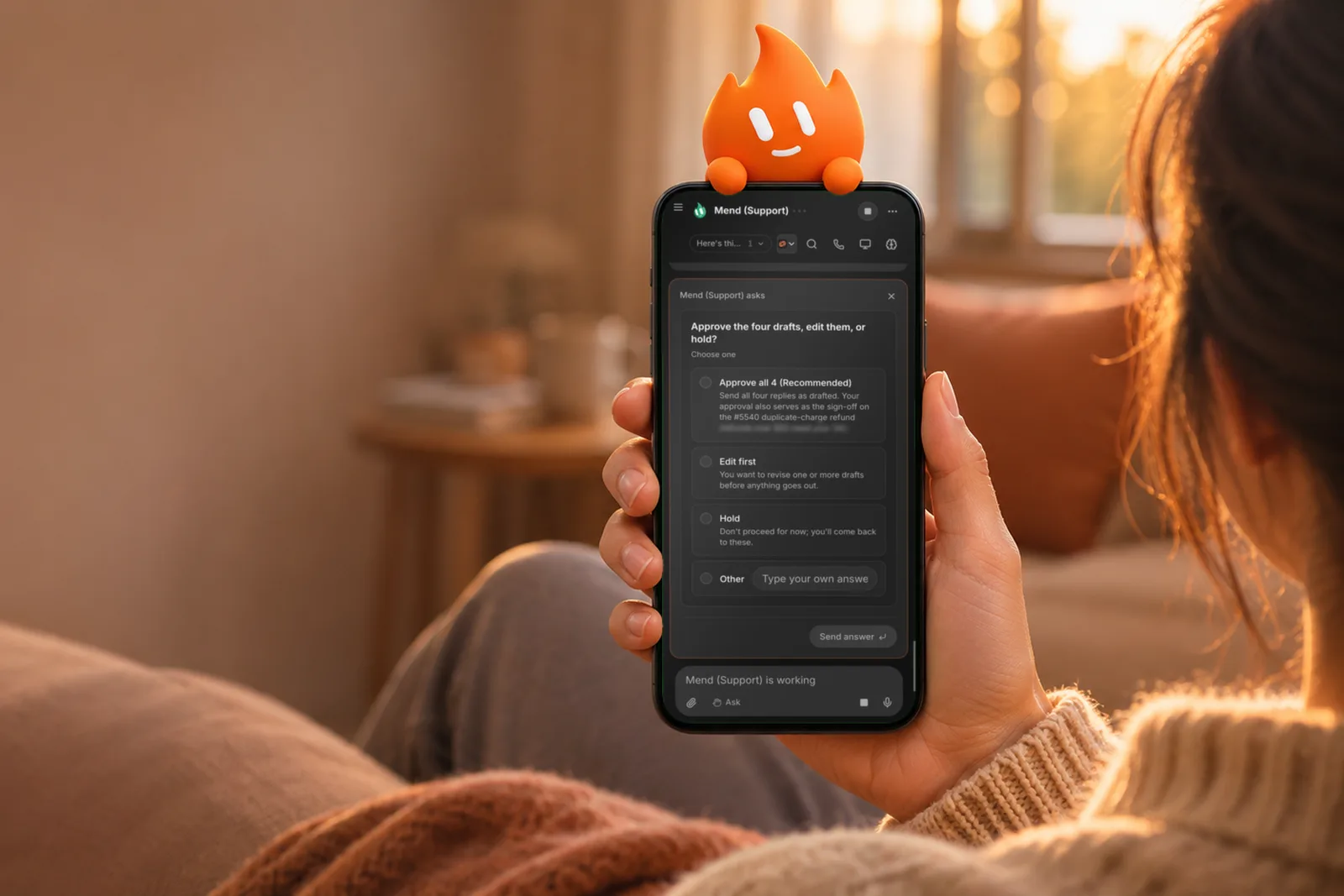
Murage 1.0.15 is out for Mac, Windows and Linux, led by one place to answer a bot that needs you. When a bot is waiting on you, you see one line, and you answer it right there.
Answer in one place
A bot waiting on you shows one line in the chat. Answer it in the panel above the box, or from the bar on your phone. Messages waiting for the next turn fold to one tidy line each, so the chat stays readable while a bot works.
We put it in one place on purpose. You should never have to scroll back through a long chat to find what a bot asked you, or wonder whether it is still waiting. You answer, and the bot gets on with the work.
New bots answer your first hello
A new bot you have not picked an engine for starts on Fuigo when Fuigo can answer, and otherwise on the engine Murage found on this computer, so your first chat gets a reply instead of a question about engines. You made the bot because you had something to ask it, and that question should get an answer first. Don't go hunting for the engine choice on day one.
If Fuigo goes quiet partway through an answer, Murage ends that turn and tells you right away, so you can send it again.
Less in your way
All chats has Back and a close button at the top right, like every other page. Esc closes the menu or panel in front first, and Health closes with Back, its close button or Esc. Murage opens faster, because panels you have not opened yet load when you first open them.
The smaller things
Memories keep what you said, not tool output. A message from one bot to another leaves the memory of that pair's room as it was. Deleting a chat leaves work running in your other chats alone. Use my Chrome offers Set up my browser first, and leaving it hands the browser back at once, even while a bot is using it. On Grok Build, a question from an MCP server opens as a question card.
Plus stability fixes.
How to update
Use the update banner, Check for updates in Settings, or the download page.